


UI/UX design in the Internet of Things (IoT) focuses on creating seamless, natural interactions between users, digital screens, and physical devices. Unlike traditional web design, it bridges the gap between hardware and software to ensure complex smart systems feel simple, reliable, and highly intuitive. Good IoT design helps users easily monitor and control their smart environments without cognitive overload.
Imagine walking into your home on a chilly evening. You tap your smartphone, and the living room lights dim to a warm glow. At the same time, the thermostat kicks up to exactly seventy-two degrees, and your favorite playlist begins to hum softly in the background. It feels like magic, doesn’t it? But behind this invisible symphony of technology is a highly calculated, deeply empathetic design process.
We live in a world where everyday objects are waking up. Refrigerators talk to grocery apps, smartwatches track heartbeats, and industrial factories monitor their own machine health from thousands of miles away. This massive web of interconnected physical things is what we call the Internet of Things (IoT). But how do humans talk back to these smart objects without getting frustrated or confused?
That is where the magic of user interface (UI) and user experience (UX) design comes into play. In this article, we will peel back the curtain on this exciting field. We will explore how designers translate complex data streams into simple taps, how they tackle physical limitations, and how they build trust in a world run by invisible sensors and signals.
Key Takeaways
- Physical and Digital Harmony: IoT design must seamlessly bridge the gap between physical objects and digital screens.
- Context is King: Designers must consider the user’s physical environment, distraction levels, and varying screen sizes.
- Real-Time Data Management: Presenting complex data feeds in an easy-to-digest visual format is critical for IoT dashboards.
- Frictionless Onboarding: Setting up new physical devices must be quick, clear, and painless to avoid user frustration.
- Feedback and Trust: Systems need to provide immediate, clear feedback so users know their physical actions worked.
- Interoperability: Devices must work together cohesively within a larger ecosystem of connected tech.
📑 Table of Contents
The Multi-Device Ecosystem: Where Physical Meets Digital
When you design a standard mobile app, you only have to worry about a flat screen. It stays in the user’s hand, and it behaves in a predictable way. But in the world of IoT, the screen is only a tiny piece of a much larger puzzle. An IoT designer must bridge the massive gap between physical products and digital interfaces.
Designing Beyond the Glass
In an IoT system, a user might interact with a smart thermostat on a wall, a mobile app on their phone, a smartwatch on their wrist, or even a voice assistant. The user interface must feel cohesive across all of these different touchpoints. If the app looks and feels completely different from the physical device, the user will feel lost. Designers often look at creative IoT app UI/UX project layouts to see how others keep branding and usability consistent across vastly different screens.
The Physical Constraints of Hardware
Hardware has limits that software does not. A tiny screen on a smart washing machine cannot show rich, detailed graphs. It can only show basic icons. The designer must decide what information goes on the physical machine and what details get pushed to the companion smartphone app. This balance is critical to prevent user frustration and keep the product looking clean.
Designing for Context and the Real World
In traditional web design, we usually assume the user is sitting down or holding their phone in a relatively safe, quiet spot. In IoT, your user could be doing absolutely anything, anywhere. They could be driving a car, cooking with wet hands, or running through the pouring rain.
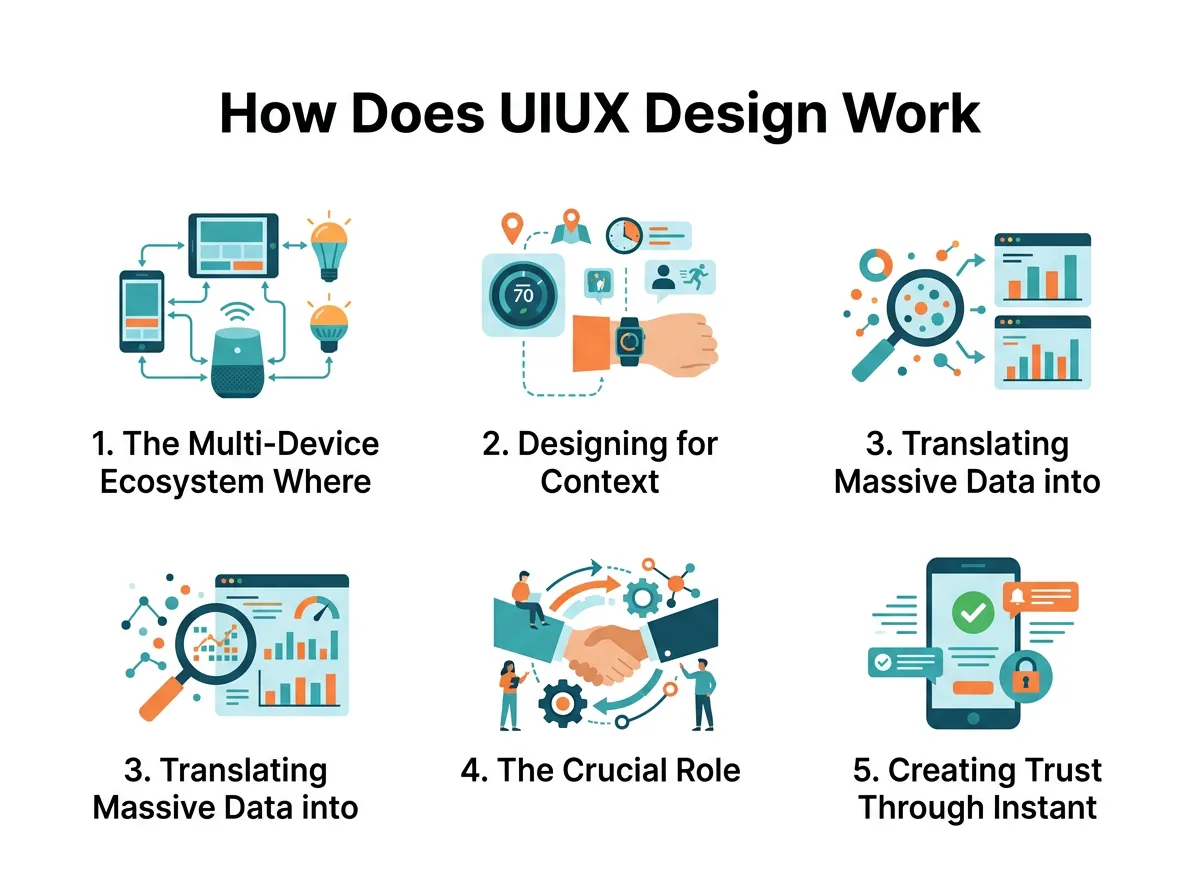
How Does UI/UX Design Work in IoT? — key points at a glance
Understanding the User’s Environment
Context is the secret sauce of great IoT UX. If you are designing an app for a smart sprinkler system, you have to realize the user might be standing outside in bright, harsh sunlight. If the app uses low-contrast text, they won’t be able to read it. Designers must adapt color palettes, button sizes, and typography to fit the messy physical world.
The “Hands-Busy” Scenario
Think about a smart kitchen scale. The user has raw food on their hands. They cannot easily tap a delicate, tiny touchscreen button to reset the scale. A good UX designer will realize this and offer alternative inputs. They might suggest voice control or large physical buttons that can be pressed with an elbow or a knuckle.
Translating Massive Data into Simple Decisions
Smart devices gather an incredible amount of data. A smart home energy monitor tracks kilowatts, peak hours, and device efficiency every single second. However, humans do not read raw data. They read stories and visual cues.
Building Clean Dashboards
The biggest challenge in IoT UI is data visualization. A dashboard should not look like a messy spreadsheet. It must present information in a clear visual hierarchy. Users should be able to glance at their screen and instantly know if everything is running smoothly or if something needs their attention.
Turning Data into Actionable Insights
Instead of telling a user, “Your system used 14.2 kWh today,” a great IoT design will say, “You saved three dollars today by turning down the heat while you were away.” This shifts the focus from cold numbers to useful, human-centered insights. Many software companies rely on user-centric designs in IoT software development to make sure complex technical systems remain highly friendly and functional for regular people.
The Crucial Role of Device Onboarding
Have you ever bought a smart plug, spent two hours trying to connect it to your home Wi-Fi network, and then returned it to the store in absolute anger? You are not alone. The setup process, or onboarding, is often where IoT products succeed or fail.
The Crucial Step of Device Setup
Getting a physical device to talk to a local network and a smartphone app is technically complex. The UX designer must hold the user’s hand through this entire journey. They use step-by-step illustrations, clear animations, and friendly language to guide them through the process.
Handling Connection Errors Gracefully
Things will inevitably go wrong. The Wi-Fi password will be wrong, or the Bluetooth pairing will fail. A bad design simply displays an obscure error code. A great design explains exactly what happened in plain English and gives a simple, step-by-step way to fix the issue.
Creating Trust Through Instant Feedback
When you click a light switch on your wall, the light turns on instantly. You do not wonder if the action worked. But with IoT, signals must travel to the cloud, process, and travel back to the physical device. This can cause a slight delay, or latency.
Managing System Latency
If a user taps “Unlock Door” on their phone and nothing happens for three seconds, they will panic. Did it work? Should they tap it again? IoT UI/UX designers solve this by using loading states, progress bars, or subtle haptic vibrations. Even if the door takes a moment to unlock, the app should instantly say “Unlocking…” so the user feels in control.
Building Reliability and Safety
Trust is everything when it comes to IoT. If a smart lock or security camera app is slow, confusing, or glitchy, the user will lose faith in the product. The interface must always show the current, accurate state of the device. Professional designers often work on high-stakes projects, such as designing SaaS IoT systems for life-saving solutions, where absolute reliability and clear UI feedback can quite literally save lives.
Practical Tips for Designing Great IoT Experiences
If you are stepping into the exciting world of IoT design, here are a few simple tips to keep you on the right path:
- Focus on Interoperability: Your device does not live in a vacuum. It lives in a home with other ecosystems. Make sure your app plays nice with other platforms.
- Keep It Simple: Just because a smart fridge can surf the web does not mean it should. Avoid feature bloat. Focus on the core tasks your user actually wants to achieve.
- Test in the Real World: Do not just test your designs on a beautiful, bright computer monitor in a cozy office. Take your app outside, use it in the dark, test it with bad Wi-Fi, and see how it performs when users are distracted.
Conclusion
Designing for the Internet of Things is a thrilling frontier. It is no longer just about placing pretty pixels on a screen. It is about creating a harmonious relationship between the physical objects we touch and the digital brains that control them.
By focusing on context, simplicity, robust onboarding, and instant feedback, UI/UX designers can take the frustration out of high-tech devices. They turn cold, complex sensors into helpful, delightful assistants that make our lives easier, one smart tap at a time.
Frequently Asked Questions
What is the main difference between traditional UI/UX and IoT UI/UX?
Traditional UI/UX focuses entirely on digital screens, like websites and mobile apps. IoT UI/UX must bridge the gap between physical hardware and digital software, taking physical environments and multiple device interactions into account.
Why is latency a challenge in IoT design?
Latency is the delay that happens when signals travel from a phone to the cloud and back to a physical device. If the UI does not show instant visual feedback during this delay, users might think the system is broken and try to repeat the action.
What role does voice control play in IoT UX?
Voice control is a key alternative input method in IoT, especially when a user’s hands are busy or they are away from a screen. It allows for natural, hands-free interaction with smart devices in environments like kitchens or cars.
How do designers handle data overload in IoT interfaces?
Designers handle data overload by using clear visual hierarchies and intuitive dashboards. They translate raw data points into actionable, human-friendly insights rather than overwhelming the user with numbers.
Why is device onboarding so critical in IoT?
Onboarding is critical because connecting physical hardware to digital apps and Wi-Fi networks is often highly complex. A smooth, step-by-step onboarding flow keeps users from getting frustrated and returning the product.
How do you test an IoT user interface?
IoT interfaces must be tested in real-world scenarios rather than just in a laboratory setting. Designers test them under bright sunlight, with weak internet connections, and while users are distracted or multi-tasking.
