

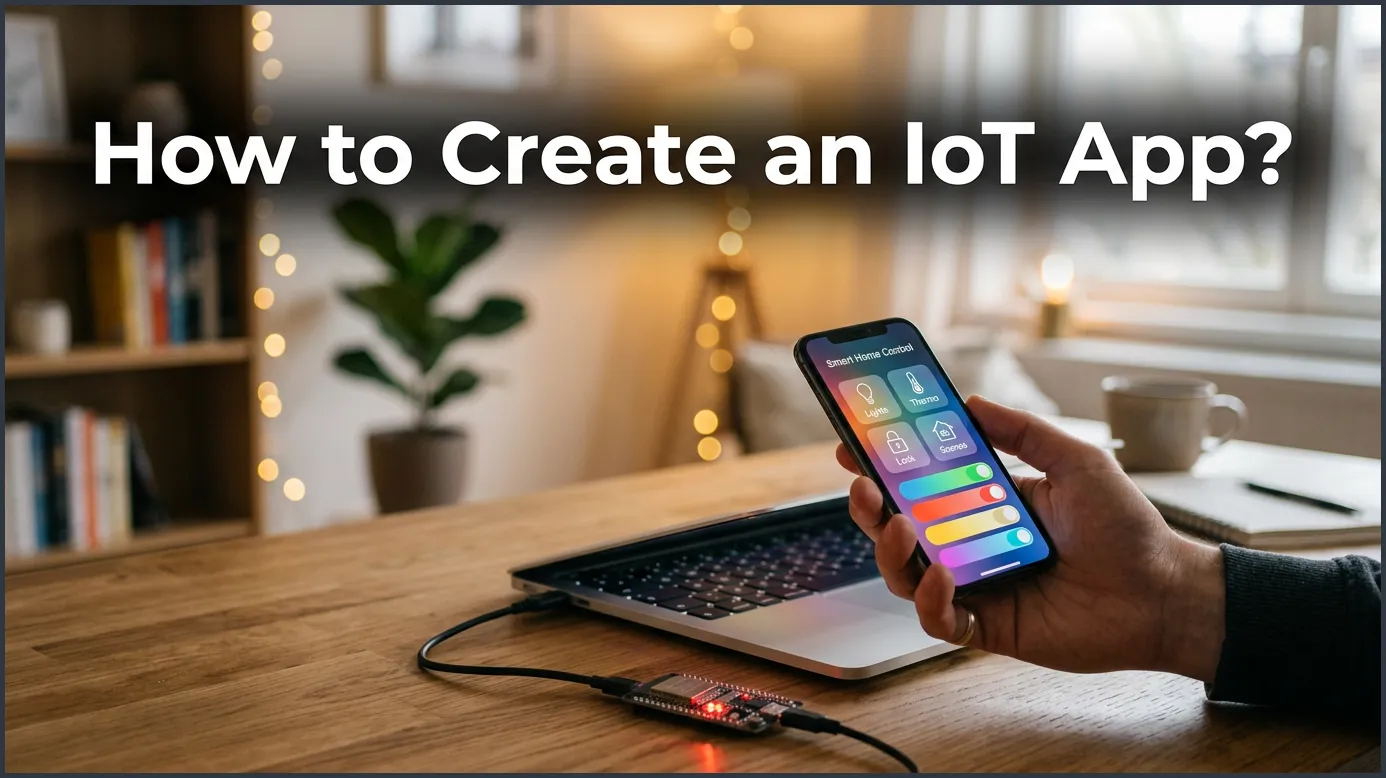
Building a connected application requires a clear understanding of hardware, cloud integration, and user experience. By following a structured development process, you can easily connect physical devices to a secure mobile or web interface. This guide will show you how to design, build, and launch your own smart application step by step.
How to Create an Iot App?
Imagine walking into your home after a long day. The front door unlocks as you approach. The lights turn on by themselves, casting a warm glow. Your favorite playlist starts playing softly in the background, and the thermostat is already set to your perfect temperature. This is not a scene from a science fiction movie. This is the power of the Internet of Things (IoT) in action.
Today, we use smart gadgets for almost everything. We track our health with smartwatches. We feed our pets using smart feeders. We even monitor our gardens with smart soil sensors. Behind every single one of these amazing devices is a powerful software application. If you have a great idea for a smart device, you might find yourself asking: How to Create an IoT App? and where do I start?
Building a connected app is an exciting journey. It blends physical hardware with digital code. While it may seem complex at first, you can break the process down into simple, manageable steps. In this guide, we will walk you through the entire journey. We will cover everything from basic architecture to choosing tools, coding, and security. Let us dive in!
Key Takeaways
- Define Clear Goals: Always start with a specific problem your smart app needs to solve.
- Choose Reliable Hardware: Pick trusted microcontrollers like Raspberry Pi or ESP32 for your project.
- Ensure Strong Security: Implement data encryption and over-the-air updates to protect user data.
- Pick the Right Tech Stack: Use cross-platform frameworks to save time and development costs.
- Test in Real Environments: Test your app under weak connections and sudden power outages before launch.
📑 Table of Contents
Understanding the Architecture of an IoT System
Before you write your first line of code, you must understand how these systems work. An IoT system is like a chain. Every single link must be strong for the system to work. There are three main parts that make up this setup.
The Hardware (Sensors and Actuators)
This is the physical part of your project. It lives in the real world. Sensors collect data from the environment. For example, a temperature sensor reads the heat in a room. Actuators, on the other hand, perform physical actions. A smart lock opening or a motor spinning are examples of actuators in action.
The Middleware (Cloud and Gateways)
Your hardware cannot talk to your smartphone directly. It needs a bridge. This is where gateways and cloud platforms come in. Gateways take the data from your hardware and send it to the internet safely. The cloud stores this data and processes it. It acts as the brain of your entire system.
The Frontend (The User Application)
This is what your users actually see and touch. It is the app on their phone, tablet, or web browser. It lets them control the hardware. For example, when a user taps a button on their screen, the app sends a signal through the cloud to turn on a light bulb. Designing this part well is key to keeping your users happy.
Step-by-Step Guide: How to Create an IoT App?
Now that you know how the parts fit together, let us look at the actual steps. When you are learning How to Create an IoT App?, it is best to take things slow. Here is a clear path you can follow to turn your idea into reality.
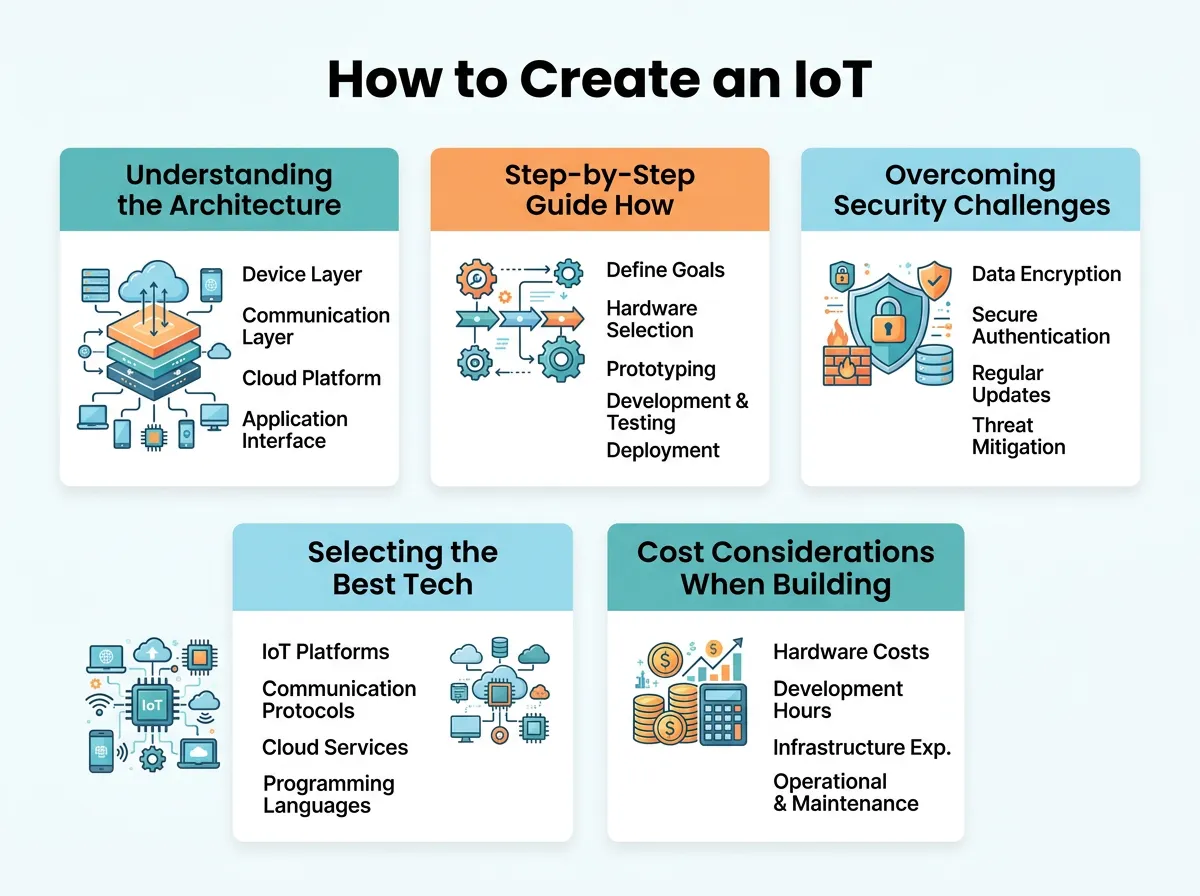
How to Create an IoT App? — key points at a glance
Define Your Goals and Use Case
Do not just build an app because it is trendy. You should find a real problem to solve. Does your app help people save energy? Does it keep homes safe? Knowing your exact goal helps you make better choices later on. For instance, understanding the process for IoT application development can save you a lot of time and money during this planning phase.
Choose the Right Hardware and Connectivity
Next, you need to choose your physical parts. Popular options for beginners and pros alike include Arduino, Raspberry Pi, or ESP32 boards. You also need to pick a connection type. Will your device use Wi-Fi, Bluetooth, or cellular data? Each option has pros and cons. Wi-Fi is fast but uses a lot of power. Bluetooth is great for close range and saves energy. Cellular is perfect for outdoor projects but can be costly.
Select a Reliable Cloud Platform
Your app needs a secure home in the cloud. This is where your data is stored and processed. Big players like AWS IoT, Google Cloud IoT, and Microsoft Azure offer great tools. Many developers look for a seamless way to build an IoT application that connects these cloud platforms to their mobile frontends with minimal lag.
Design the User Interface (UI/UX)
Keep your design as simple as possible. Users love clean interfaces. Your app should load quickly, and buttons should be easy to find. If a user has to tap ten times just to turn off a plug, they will get frustrated. Make sure the status of the smart device is always clear on the screen.
Code and Develop the App
This is where your idea comes to life. You will write code for the hardware and the mobile app. You will also set up APIs to let them talk to each other. Reading a detailed guide on how to develop an app for the Internet of Things can help you avoid common coding mistakes during this phase.
Overcoming Security Challenges in IoT Development
Security is the biggest challenge in the smart device world. Hackers love targeting poorly protected devices. If someone hacks a smart lock, they can enter a home. Therefore, you must take security seriously from the very first day of development.
Data Encryption
Always encrypt your data. This applies to data sitting on the device and data traveling through the air. Use secure protocols like HTTPS and MQTT with TLS. This keeps hackers from reading your user’s private information.
Firmware Updates
Devices get old, and new bugs are found over time. You must have a way to update your hardware’s software over the air (OTA). This lets you fix security holes quickly without making the user buy a new device.
Selecting the Best Tech Stack for Your Project
Choosing your tools is a big decision. Your tech stack will affect how fast your app runs. It also decides how easy it is to update your software later on.
Popular Frameworks and Languages
For mobile apps, you can use Native iOS (Swift) and Android (Kotlin). If you want to save time, try cross-platform tools like Flutter or React Native. They let you write one code base for both iOS and Android. For hardware, C and C++ are the kings of the industry. For the cloud, Node.js and Python are very popular because they handle data quickly. It is worth exploring different ways to build a connected app before starting so you can choose the best stack for your team.
Cost Considerations When Building an IoT App
How much does it cost to build a smart application? The answer depends on your project’s scope. However, you can manage your budget by focusing on key areas.
Hardware Prototyping Costs
Buying development boards and sensors is relatively cheap. You can get started with a simple kit for under fifty dollars. However, designing custom circuit boards for mass production can cost thousands of dollars.
Cloud and Infrastructure Costs
Most cloud providers offer free tiers for small projects. As your user base grows, you will pay based on data usage. Keeping your data packets small will help keep your monthly cloud bills low.
Best Practices for Testing and Launching
Never launch your application without testing it thoroughly. IoT testing is harder than normal app testing. This is because you are testing physical hardware in different real-world conditions.
Real-World Environment Testing
Test your app with weak internet connections. See what happens when the power suddenly goes out. Does the hardware turn back on safely? Does the app update its status correctly on the screen? You should test these scenarios many times.
Monitoring and Scaling
Once your app is live, your job is not done. You need tools to monitor its performance in real time. If thousands of users sign up at once, your cloud servers must be ready to handle the heavy load without crashing.
Conclusion
Learning How to Create an IoT App? is a rewarding challenge. It brings together physical engineering and modern software design. While it requires careful planning, breaking the project down into simple steps makes it highly achievable. By focusing on simple design, strong security, and solid testing, you can create a smart product that users will love. Start small, test often, and watch your smart ideas come to life!
Frequently Asked Questions
How long does it take to build an IoT app?
The timeline depends on the complexity of your project. A simple prototype can take around two to three months to build. A complex, commercial-grade application can take six months to over a year of development.
What is the best programming language for IoT?
For the physical hardware, C and C++ are the most popular choices due to their speed. For the mobile application and cloud backend, Python, Node.js, and Dart (Flutter) are highly recommended.
Do I need custom hardware to create an IoT app?
No, you do not need custom hardware to get started. You can use cheap, ready-made development boards like Raspberry Pi, Arduino, or ESP32 to build and test your prototype.
Is security different for IoT apps compared to regular apps?
Yes, security is much more critical because IoT apps interact with physical devices in the real world. You must secure both the software application and the physical hardware nodes from potential network attacks.
What is MQTT in IoT app development?
MQTT stands for Message Queuing Telemetry Transport. It is a lightweight messaging protocol designed for sensors and small mobile devices, making it perfect for sending data over weak networks.
Can I build an IoT app without coding experience?
Yes, you can use no-code or low-code IoT platforms to create simple connected projects. However, for a unique, highly secure, and scalable commercial app, custom coding is still necessary.
