

Managing a fleet of connected devices can be overwhelming. The best IoT device management tools like AWS IoT Device Management, Microsoft Azure IoT Hub, and ThingsBoard simplify this process. They offer essential features like remote monitoring, over-the-air updates, and strong security to keep your smart networks running smoothly.
Imagine you just deployed one thousand smart sensors across a massive farm network. Everything is running perfectly. But a month later, your software team finds a critical security bug. Sending a technician to manually update each sensor would cost a fortune and take weeks. This is the exact nightmare that keeps product managers awake at night.
The solution to this problem is simple. You need a way to control, update, and monitor your hardware from a distance. The right software acts as a remote control for your entire fleet of connected physical products. In this guide, we will explore the top platforms on the market to help you find the perfect match for your business.
We will break down what makes these tools special, look at their core features, and share tips on how to pick the right one. Let us dive in and see how you can make your smart network run like clockwork.
Key Takeaways
- Centralized Control: The right platform lets you monitor and manage thousands of devices from a single dashboard.
- Automated Updates: Over-the-air (OTA) firmware updates are crucial to keeping your smart devices secure and functional.
- Top Market Contenders: AWS, Azure, and ThingsBoard are leading options that offer highly reliable ecosystems.
- Security First: Excellent tools provide end-to-end encryption and device authentication to prevent unauthorized access.
- Scalability Matters: Always select software that can grow seamlessly alongside your expanding business needs.
- Lower Operating Costs: Automated device management reduces downtime and cuts down on manual maintenance trips.
📑 Table of Contents
Why You Need IoT Device Management
Before looking at the software options, it is helpful to understand why these systems are so important. Managing a smart device is very different from managing a standard office computer. Connected hardware often lives in harsh, remote environments with limited battery power and slow internet connections.
The Complexity of Connected Networks
Smart devices send and receive data constantly. If you do not have a way to track them, they can easily go offline without you noticing. A solid understanding of defining IoT device management shows us that these tools handle the entire lifecycle of a device. They take care of everything from the initial setup to the final retirement of the hardware.
Key Benefits of Using Management Software
Using a dedicated platform saves you time and money. It allows your engineering team to focus on building great features instead of fixing broken connections. You get real-time alerts when a device fails. You can also group devices by location or function. This makes it easy to run tests and push updates to specific groups without risking the health of your entire network.
Key Features to Look For in a Tool
Every business has unique needs, but there are a few features that every great management tool must have. Here are the non-negotiable features you should look for when shopping around.
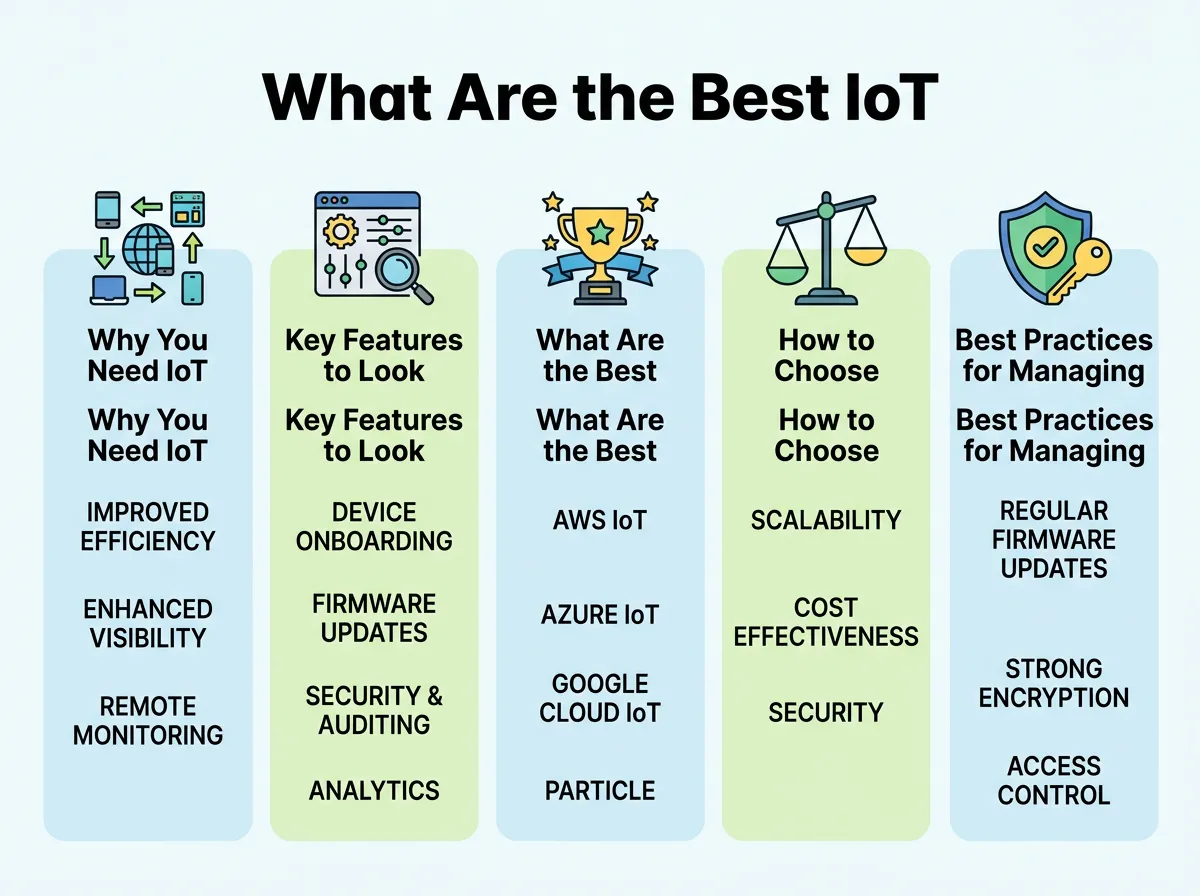
What Are the Best IoT Device Management Tools? — key points at a glance
Remote Monitoring and Diagnostics
You cannot fix what you cannot see. Your chosen tool must show you the health status of every device in real time. It should track battery levels, signal strength, and memory usage. If a device starts acting up, you need to be able to pull up log files instantly to see what went wrong.
Over-the-Air (OTA) Updates
An OTA update is the ability to send new software to your devices wirelessly. This is the most critical feature for security. If a vulnerability is found, you must be able to push a patch to all your devices at once. The platform should also let you roll back an update if it causes unexpected issues.
Security and Authentication
Smart devices are major targets for hackers. A good platform ensures that only trusted devices can connect to your servers. Look for tools that offer unique digital certificates for each device, end-to-end data encryption, and secure boot processes.
What Are the Best IoT Device Management Tools?
Now that we know what to look for, let us answer the big question: What Are the Best IoT Device Management Tools? There are several options on the market, ranging from massive cloud giants to specialized open-source platforms. Here are the top tools you should consider.
AWS IoT Device Management
Amazon Web Services (AWS) is a giant in the cloud space, and their IoT tool is incredibly powerful. It is designed to track, monitor, and manage connected devices at a massive scale. You can easily register new devices in bulk and organize them into hierarchies. It also integrates perfectly with other AWS services, which is a major plus if you already use Amazon for your cloud storage.
Microsoft Azure IoT Hub
Microsoft offers a fantastic enterprise-grade solution with its Azure IoT Hub. It is highly secure and offers excellent two-way communication between your devices and the cloud. Azure shines when it comes to data analytics. It makes it very easy to feed your device data into artificial intelligence tools to predict when a machine might need maintenance before it actually breaks down.
ThingsBoard
If you prefer an open-source solution, ThingsBoard is an excellent choice. It is highly customizable and famous for its beautiful, user-friendly dashboards. You can easily visualize your data with map widgets, charts, and custom graphs. To learn more about how it works, you can check out the official documentation on ThingsBoard device management capabilities. It is a highly scalable platform that works well for both small startups and large companies.
Particle
Particle is unique because it offers an all-in-one solution. They provide the physical hardware, the cellular connectivity, and the software to manage it all. This is perfect for teams that want a simple setup without having to patch together systems from different vendors. Particle makes it very easy to go from a prototype to a finished product in a short amount of time.
Portainer
For teams that use container technology like Docker to run their smart applications, Portainer is a standout option. It allows you to deploy and manage containerized applications at the edge with ease. You can explore Portainer’s edge container management solutions to see how they simplify the deployment of complex software on small edge devices.
How to Choose the Right Tool for Your Business
With so many great options available, making a choice can feel a bit overwhelming. Here are three simple steps to help you narrow down your search.
Assess Your Hardware Compatibility
Not all software tools work with every piece of hardware. Some platforms require specific microchips or operating systems to function. Check the technical specifications of your devices and make sure they match the requirements of the platform you want to use.
Evaluate the Total Cost of Ownership
Pricing models for these tools can vary wildly. Some charge a flat monthly fee, while others charge based on the amount of data your devices send. Make sure you calculate how much the tool will cost not just today, but when you scale up to thousands of devices in the future.
Review User Feedback and Industry Ratings
Before making a final choice, it is always a smart idea to see what other developers are saying. You can read reviews and compare features by browsing G2’s top-rated IoT device management software list. Seeing real-world feedback can save you from choosing a platform that has hidden bugs or poor customer support.
Best Practices for Managing IoT Fleets
Choosing the right tool is only half the battle. You also need to use it correctly to keep your network healthy. Here are a few simple best practices to keep in mind.
- Start Small: Always test updates on a small group of devices before sending them to your entire fleet.
- Automate Alerts: Set up automated alerts for critical events, like low battery power or sudden drops in data transmission.
- Rotate Security Keys: Regularly update your device security certificates to prevent hacking attempts.
- Document Everything: Keep clear records of your device configurations, update history, and network settings.
Conclusion
Managing connected hardware does not have to be a headache. By choosing one of the top tools we discussed, you can take complete control of your smart network. Whether you choose a giant cloud provider like AWS or an open-source tool like ThingsBoard, the key is to focus on security, ease of updates, and scalability. Take your time, test out a few free trials, and pick the tool that makes life easiest for your team.
Frequently Asked Questions
What is an IoT device management tool?
It is a software platform that allows businesses to monitor, update, secure, and troubleshoot connected smart devices from a remote location. It helps manage the entire lifecycle of hardware without needing physical access to each device.
Can I manage devices from different manufacturers on one platform?
Yes, many modern tools are hardware-agnostic and support standard communication protocols like MQTT and CoAP. This allows you to manage a diverse mix of devices from different brands inside a single dashboard.
What does OTA stand for in IoT?
OTA stands for Over-the-Air. It refers to the wireless delivery of software, firmware, or configuration updates to connected devices over a cellular or Wi-Fi network.
Are open-source IoT platforms safe to use?
Yes, open-source platforms like ThingsBoard are highly secure when configured properly. They allow you to host the software on your own private servers, giving you complete control over your security settings.
How does IoT device management improve security?
These tools secure your network by managing unique digital certificates for each device and encrypting data. They also allow you to quickly push security patches to your entire fleet if a software bug is found.
Do I need an IoT management tool for a small network?
While you might not need one for just two or three devices, it becomes essential once your network grows to ten or more. Setting up a tool early makes it much easier to scale your operations in the future.
