


Choosing the right cloud platform for your smart network is a major business decision. While Azure IoT Hub offers deeply integrated enterprise tools and structured device twins, AWS IoT Core excels with its modular, developer-centric design and granular pay-as-you-go pricing. Ultimately, your choice depends on whether your organization values a highly structured, Microsoft-aligned ecosystem or a flexible, customizable AWS environment.
Imagine you have ten thousand smart sensors spread across a busy city. They measure temperature, traffic, and water levels. Every single day, these devices send billions of messages to the cloud. But how do you keep track of them all? How do you make sure they are secure? How do you fix a bug in their code without driving to each sensor in person?
This is where device management platforms come into play. Two cloud giants dominate this space: Microsoft and Amazon. Each offers a premier cloud tool to handle your connected hardware. When planning your IoT strategy, you must ask a critical question: Azure IoT Hub vs AWS IoT Core: How Does Device Management Compare?
In this guide, we will break down the features, strengths, and limits of both options. We will look at onboarding, state tracking, updates, security, and cost. By the end, you will know exactly which platform fits your smart project.
Key Takeaways
- Onboarding Methods: Azure uses its Device Provisioning Service (DPS) for hands-off, zero-touch setup, while AWS offers flexible Just-In-Time Registration (JITR) and fleet provisioning.
- State Tracking: Azure relies on “Device Twins” to manage state and configurations, whereas AWS uses “Device Shadows” to handle offline status changes smoothly.
- Over-the-Air Updates: Azure provides a dedicated, structured “Device Update” tool, while AWS uses highly flexible “IoT Jobs” to push software changes.
- Security Frameworks: Both platforms support X.509 certificates, but AWS integrates tightly with IAM policies, while Azure utilizes Shared Access Signatures and Azure Active Directory.
- Ecosystem Integration: Azure is the best fit for teams already using Microsoft enterprise systems, while AWS is perfect for developers building native, serverless cloud solutions.
📑 Table of Contents
The Core Philosophy of IoT Device Management
Every cloud platform has its own design philosophy. This philosophy affects how you interact with the software every single day. If you look at comprehensive feature side-by-sides, you will notice both platforms offer incredible power, but they serve different engineering mindsets.
Microsoft’s Enterprise-First Blueprint
Microsoft Azure approaches IoT with a structured, enterprise-first mindset. It treats your devices as parts of a larger business workflow. Azure IoT Hub integrates seamlessly with tools like Azure Digital Twins and Power BI. If you want a platform that feels cohesive and ready for big business, Azure is designed for you. It provides highly structured schemas. These help you model complex physical environments right out of the box.
Amazon’s Modular Developer Toolbox
Amazon Web Services (AWS) takes a different path. AWS IoT Core is like a bucket of high-quality building blocks. It is highly modular and developer-centric. It gives you raw power and flexibility. You can connect various AWS services together to build exactly what you need. AWS lets you build custom logic for almost any scenario. This is great for teams that want complete control over their cloud architecture.
Device Onboarding and Provisioning
Before a device can send data, the cloud must know it exists. This step is called provisioning. It must be secure, fast, and simple. When comparing Azure IoT Hub vs AWS IoT Core: How Does Device Management Compare on onboarding? The answer lies in their registration tools.
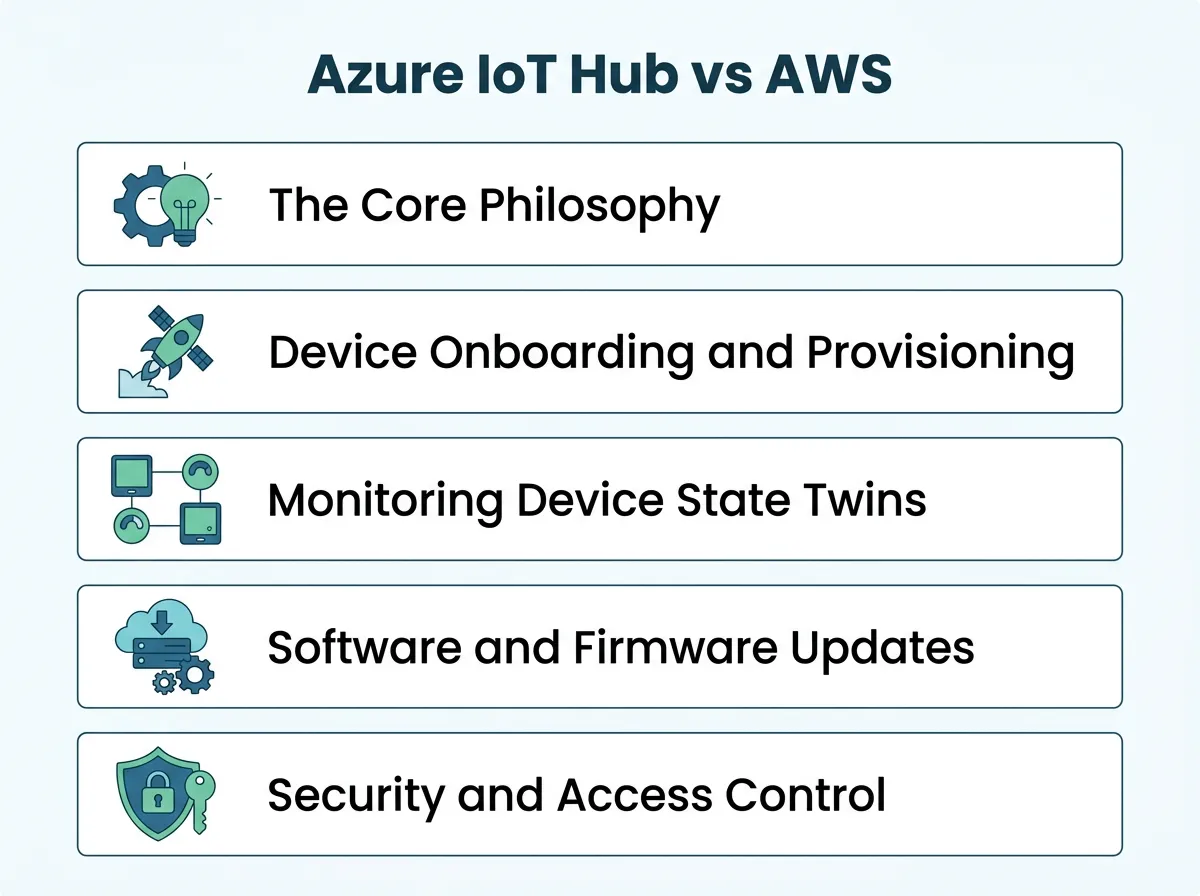
Azure IoT Hub vs AWS IoT Core: How Does Device Management Compare? — key points at a glance
Azure Device Provisioning Service (DPS)
Azure uses a helper service called the Device Provisioning Service, or DPS. DPS is a true lifesaver for massive fleets. It allows for “zero-touch” onboarding. This means a factory can build a device, and as soon as the user plugs it in, DPS automatically connects it to the right IoT Hub. It handles load balancing and geo-distribution without any manual setup.
AWS Fleet Provisioning and JITR
AWS IoT Core uses a feature called Just-In-Time Registration (JITR). It also offers Fleet Provisioning templates. JITR is great because it registers your device the very first time it tries to connect to the cloud. You do not need to register each device manually beforehand. Fleet provisioning uses secure templates to make onboarding simple. Both methods are highly secure, but AWS requires a bit more hands-on configuration to get running.
Monitoring Device State: Twins vs. Shadows
What happens when a device goes offline? How do you know its last status? Both platforms solve this by keeping a virtual copy of the device in the cloud.
Azure Device Twins
Azure calls this virtual model a “Device Twin.” A Device Twin is a JSON document. It stores state information, metadata, and configurations. It has two main parts: desired properties and reported properties. The cloud writes what it wants the device to do in the desired properties. The device writes its actual status in the reported properties. Azure coordinates the sync between these two states beautifully.
AWS Device Shadows
AWS uses a very similar concept called “Device Shadows.” A shadow is also a JSON document. It tracks the “reported” state and the “desired” state. If there is a difference, AWS calculates a “delta.” This delta tells your application exactly what needs to change. According to user reviews and industry platform comparisons on G2, the choice often hinges on your existing tech stack and whether you prefer Azure’s twin-querying tools or AWS’s lightweight shadow updates.
Software and Firmware Updates: Over-the-Air (OTA) Management
Devices need updates. You must patch security flaws and add new features. This requires Over-the-Air (OTA) updates. Handling this safely at scale is a major challenge.
Updating with Azure Device Update
Azure provides a dedicated service called “Device Update for IoT Hub.” It is a highly structured tool. It allows you to group devices, schedule updates, and monitor rollouts in real time. It also has safety features. If an update fails on too many devices, Azure can automatically roll it back. This protects your fleet from bad code.
Deploying with AWS IoT Jobs
AWS handles updates through “IoT Jobs.” An IoT Job is a set of instructions you send to one or more devices. It is highly flexible. You can send files, run shell commands, or trigger firmware updates. While it does not have the same structured out-of-the-box user interface as Azure for updates, it is incredibly powerful. You can customize the rollout speed and define complex abort criteria.
Security and Access Control
Security is the most important part of any IoT project. A single hacked device can compromise your entire network. Both platforms offer top-tier security, but they approach it differently.
Azure’s Defense-in-Depth Model
Azure IoT Hub focuses on a “defense-in-depth” security model. It supports X.509 certificates and Shared Access Signatures (SAS) keys. Azure also has a service called Microsoft Defender for IoT. This tool monitors your devices for strange behavior. For example, if a temperature sensor suddenly tries to access an unknown website, Defender flags it immediately.
AWS’s Granular IAM Security
AWS IoT Core uses its famous Identity and Access Management (IAM) framework. Every device must have a policy attached to its certificate. These policies are extremely granular. You can restrict a device so it can only publish to one specific topic. AWS also offers “IoT Device Defender.” This service audits your device fleet to ensure security best practices are met.
Pricing, Scalability, and Ecosystem Fit
How do these platforms compare when your fleet grows from ten devices to ten million? The cost model might surprise you.
Understanding the Cost Models
Azure IoT Hub charges based on tiers. You buy a specific tier that allows a certain number of messages per day. If you go over your limit, you can scale up. AWS IoT Core uses a pure pay-as-you-go model. You are billed per million messages, per connection minute, and per shadow update. This can make a big difference in your monthly bill.
Choosing the Right Match
If your devices send predictable data at steady times, Azure’s tiered model is easy to budget. If your devices are quiet most of the time but send bursts of data, AWS’s pay-as-you-go structure will likely save you money. If you ever find yourself needing to switch, migrating between IoT platforms is a complex but entirely doable process if planned early.
The Verdict: Which Platform Should You Choose?
Both platforms are world-class options. Your final decision should depend on your team’s skills and your existing tools.
If your company already uses Microsoft tools like Office 365, Active Directory, or Azure SQL, then Azure IoT Hub is a natural fit. Its structured twins, zero-touch provisioning, and built-in update features make it a great enterprise solution.
On the other hand, if your developers love AWS services like Lambda, S3, or DynamoDB, then AWS IoT Core is the clear winner. Its modular design gives your engineers complete freedom to build custom, highly scalable systems.
Frequently Asked Questions
What is the main difference between Azure IoT Hub and AWS IoT Core?
Azure IoT Hub is a highly structured, enterprise-ready platform that integrates deeply with Microsoft systems. AWS IoT Core is a highly modular, developer-centric platform that offers greater customization and flexibility. Your choice depends on your team’s existing cloud ecosystem.
What is the difference between a Device Twin and a Device Shadow?
Azure’s Device Twin and AWS’s Device Shadow both store a device’s state in a JSON document. However, Azure’s twin relies on a dual-property system of desired and reported states, while AWS uses shadows to calculate “deltas” to update offline devices. Both tools successfully bridge the gap between physical hardware and cloud apps.
Can I use both Azure IoT Hub and AWS IoT Core in a multi-cloud setup?
Yes, you can use both platforms together to build a multi-cloud IoT architecture. Many enterprises do this to avoid vendor lock-in or to leverage specific tools from both providers. However, managing two platforms increases operational complexity and costs.
Which platform is easier for onboarding millions of devices?
Azure’s Device Provisioning Service (DPS) is highly regarded for its seamless, zero-touch automated onboarding process. AWS offers robust Fleet Provisioning and Just-In-Time Registration (JITR), which are also highly scalable but require more initial configuration. Both can easily handle millions of devices.
Is Azure IoT Hub cheaper than AWS IoT Core?
It depends entirely on your device behavior. Azure uses a predictable tier-based pricing model, which is great for steady, constant data flows. AWS uses a pay-as-you-go model, making it cheaper for quiet devices that only send data in occasional bursts.
How do security capabilities compare between the two platforms?
Both platforms offer excellent, enterprise-grade security using X.509 certificates and secure connections. AWS manages security through its granular IAM policies, while Azure uses Shared Access Signatures and integrates with Microsoft Defender for active threat monitoring.
