


IoT device authentication is the vital process that verifies the identity of smart devices before they can access a network. By using methods like digital certificates, cryptographic keys, or passwords, it prevents unauthorized hardware from stealing data. This security measure forms the backbone of a safe, connected smart ecosystem.
Picture this scenario. You are sitting at home. Your smart thermostat keeps your room at the perfect temperature. Your smart fridge tells you that you are out of milk. Suddenly, a hacker uses your smart light bulb to break into your home network. They steal your personal data. This sounds like a movie plot, but it is a real danger. A famous cyber attack once happened because hackers accessed a casino through a smart thermometer in a lobby fish tank.
Every day, we add more smart gadgets to our lives. We call these gadgets the Internet of Things, or IoT. We have smart locks, smart cameras, and smart medical gear. But how do we make sure these devices are safe? How do we know that a device on our network is a trusted friend and not a hacker in disguise? The answer lies in security protocols. Let us explore this topic deeply. How does IoT device authentication work to keep our digital lives safe?
In this guide, we will break down the basic ideas. We will look at the common methods. We will see how these smart things talk to each other safely. By the end, you will understand how your devices prove who they are.
Key Takeaways
- Identity Verification: Every smart device must prove who it is before joining a network to prevent cyber attacks.
- Digital Certificates: Using asymmetric cryptography with certificates is the most secure method for modern systems.
- Symmetric Keys: While simple and fast, sharing a single key carries higher security risks at scale.
- Hardware Roots of Trust: Safe storage chips like TPMs protect secret keys from physical theft and tampering.
- Automated Management: Manual updates fail at scale, making automated certificate lifecycles essential.
📑 Table of Contents
What Is IoT Device Authentication?
To understand how this process works, we should start with a simple analogy. Think of your home network as a private club. The club has a very strict bouncer at the door. If you want to enter the club, you must show a valid ID card. The bouncer checks the card. If the card is real, you get in. If the card is fake, the bouncer turns you away.
In the digital world, the private club is your network. The smart device is the guest. The bouncer is your security system. IoT device authentication is the exact process of checking that guest’s ID card. It is how a device proves its identity to a server, gateway, or another device. Without this step, any malicious computer could pretend to be your smart camera and steal your private feed.
The Concept of Digital Identity
Just like you, every smart device needs a unique identity. This identity is not just a name. It is a set of digital credentials. It can be a password, a secret code, or a digital certificate. This identity must be unique. If two devices have the exact same identity, the system cannot tell them apart. That makes it easy for hackers to trick the system.
Why Old Methods Do Not Work
We use passwords to log into our email. We use face scans to unlock our phones. But these methods do not work well for smart gadgets. Many IoT devices do not have screens or keyboards. You cannot easily type a password into a smart water valve. Also, there are billions of these gadgets. Managing passwords for millions of water valves is too hard for human beings. We need smart, automated systems to handle the load.
How Does IoT Device Authentication Work? The Step-by-Step Process
Now, let us look at the core question. How does IoT device authentication work in real life? The process usually follows a few simple, automated steps. Let us walk through a typical connection sequence.
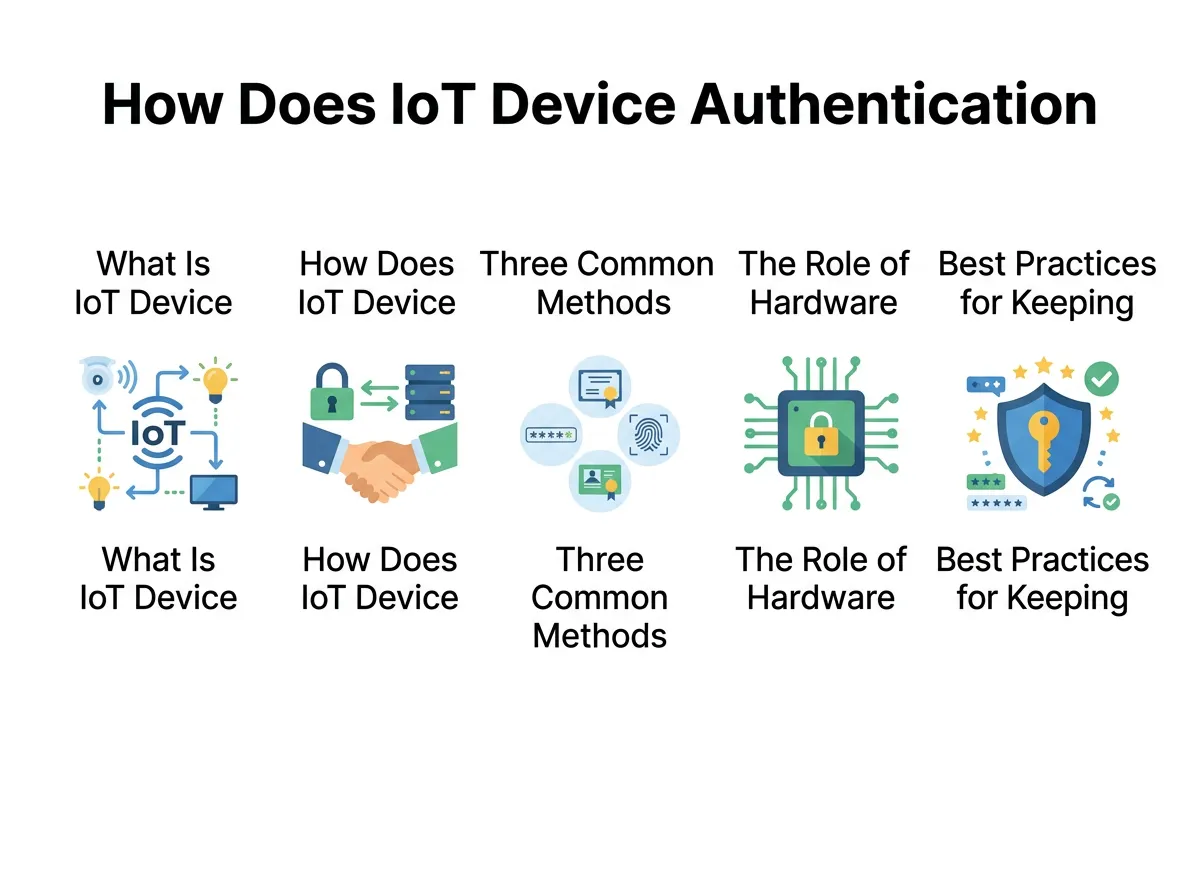
How Does IoT Device Authentication Work? — key points at a glance
Step 1: The Connection Request
A smart device turns on for the first time. It wants to send data to the cloud server. The device sends a message across the network. It says, “Hello, I am smart camera number 456. I want to connect and send my video stream.” This is the start of the handshake.
Step 2: The Challenge
The server does not just trust the device blindly. It must verify the claim. The server sends back a digital challenge. This challenge is often a random string of numbers. The server says, “If you are really camera number 456, prove it. Use your secret key to sign this random number and send it back to me.”
Step 3: The Response
The smart device receives the challenge. It takes the random number and processes it. It uses its secret cryptographic key to create a unique digital signature. The device sends this signature back to the server. Only the real camera with the real secret key can make the correct signature.
Step 4: Verification and Access
The server checks the signature. It uses a matching key to verify the work. If the math matches, the server knows the device is real. The server says, “Identity verified. You may enter.” The server opens a secure, encrypted tunnel. The device can now send its data safely. This whole process takes less than a second.
Three Common Methods of Authentication
Not all smart devices are the same. A cheap smart temperature sensor does not need the same high security as a pacemaker. Because of this, developers use different methods of authentication depending on the cost and risk of the device.
1. Symmetric Key Authentication
This is the simplest method. In this setup, the device and the server share the exact same secret key. Think of it like a secret password that only you and your best friend know. When the device wants to connect, it proves it knows the secret key.
This method is very fast. It does not need a lot of computer power. This makes it perfect for small, cheap devices with tiny batteries. However, it has a big flaw. If a hacker steals the key from the device, they can pretend to be that device. Also, managing unique keys for millions of devices is a big logistical headache.
2. Asymmetric Key Authentication (PKI)
This method is the gold standard for security. It uses Public Key Infrastructure, or PKI. Instead of one shared key, it uses a pair of keys. One is a public key, and the other is a private key.
- The Private Key: The device keeps this key hidden deep inside its memory. It never shares it with anyone.
- The Public Key: Anyone can see this key. The server uses it to check the device’s identity.
This method is highly secure. Even if someone steals the public key, they cannot use it to fake an identity. They must have the private key. This is how secure websites on the internet work, and it is highly recommended for critical IoT systems.
3. Digital Certificates
A digital certificate is like a high-tech passport. It is issued by a trusted third party called a Certificate Authority, or CA. The certificate contains the public key and details about the device. When the device connects, it shows its certificate. The server trusts the certificate because it trusts the CA that signed it. This removes the need for the server to know every single device beforehand.
The Role of Hardware in IoT Security
Software security is only half the battle. If a hacker can physically grab a smart device, they might try to crack open the computer chips to read the secret keys. That is why hardware security is so important.
Secure Elements and TPMs
Many modern smart devices use special chips to guard their secrets. These are called Secure Elements or Trusted Platform Modules (TPMs). These tiny chips are like digital vaults. They store the private keys inside a physical barrier.
If someone tries to tamper with the chip, it can erase its own memory. This makes it almost impossible for a hacker to steal the keys, even if they hold the physical device in their hands.
Hardware Roots of Trust
A hardware root of trust means that security starts at the factory. When the chip is made, a unique cryptographic key is burned into its silicon. This key cannot be changed or read by external software. It provides a solid foundation for all security steps that happen later in the device’s life.
Best Practices for Keeping IoT Devices Safe
If you build, manage, or use smart devices, there are simple steps you can take to make sure they remain secure.
Never Use Default Passwords
Many smart devices come with generic passwords like “admin” or “1234.” Hackers know these passwords. They write simple programs to scan the web and try them on thousands of devices. Always change the default password immediately during setup.
Keep Software Updated
Security is a race. Hackers find new bugs every day. Device makers release software updates to fix these bugs. If you do not update your devices, you leave your digital doors unlocked. Turn on automatic updates whenever you can.
Segment Your Network
Do not put your smart gadgets on the same network as your home computer or bank accounts. Most modern routers let you set up a guest network. Put your smart lights, TVs, and cameras on the guest network. If a hacker does compromise a smart bulb, they cannot reach your personal laptop.
Conclusion
The Internet of Things makes our lives easy and fun. But this convenience must not come at the cost of our safety. Understanding the answer to our main question is the key to a safer future. By verifying every connection, checking digital credentials, and using strong encryption, we can keep the hackers out of our networks. As the world becomes more connected, robust authentication is no longer optional. It is a absolute necessity to protect our homes, our businesses, and our privacy.
Frequently Asked Questions
What is the most secure method for IoT device authentication?
The most secure method is asymmetric cryptography using digital certificates and Public Key Infrastructure (PKI). This approach uses unique public and private key pairs, meaning secret keys are never shared across the network. It offers high resistance to hacking and is easy to manage at a large scale.
Why can we not just use passwords for all smart devices?
Many smart devices lack screens, keyboards, or the user interfaces needed to enter passwords. Additionally, managing unique, complex passwords for billions of connected devices manually is impossible for human administrators. Automated cryptographic methods are much safer and do not require human interaction.
What is a secure element in an IoT device?
A secure element is a dedicated physical chip built into a smart device to act as a highly secure vault. It stores cryptographic keys and sensitive data in a way that resists physical tampering and software attacks. This hardware protection ensures that even if a device is stolen, its identity cannot be cloned.
Can a hacker bypass IoT device authentication?
A hacker can bypass authentication if a device uses weak default credentials, has unpatched software bugs, or uses weak symmetric keys. However, devices that use modern digital certificates stored in secure hardware are extremely difficult to compromise. Keeping software updated is essential to closing these security gaps.
How does a digital certificate help a smart device?
A digital certificate acts like a trusted digital passport for a smart device, verified by a Certificate Authority. When the device connects to a network, it presents this certificate to prove its identity and establish a secure, encrypted connection. This eliminates the need for the central server to store individual passwords for every device.
What happens if an IoT device fails authentication?
If a device fails authentication, the network server immediately rejects the connection request and blocks it from sending or receiving data. Security systems will often log this failed attempt as a potential threat. This response prevents rogue or compromised devices from accessing private networks.
