


Simplifying secure OTA updates for Matter-based IoT products requires leveraging Matter’s built-in software update protocols, automated PKI certificate management, and robust OTA provider tools. By utilizing standard Matter clusters for firmware distribution, developers can bypass custom update infrastructure. This approach ensures seamless, secure, and interoperable updates across diverse smart home ecosystems.
Imagine you just shipped thousands of smart home devices to eager customers. The reviews are great, and your product is a hit. But a week later, your team discovers a minor software bug. In the past, this situation might cause panic. You would have to worry about how to reach every single device safely. Today, smart home technology is changing fast, and we have better tools to handle these problems.
The rise of the smart home means we need reliable ways to keep devices fresh and safe. Customers expect their smart plugs, lights, and sensors to work without a hitch for years. They also expect them to stay safe from hackers. To meet these needs, developers must learn why OTA updates are so critical for modern IoT and how to handle them without adding massive complexity to their workflows.
This guide will walk you through the process of managing updates. We will look at how the Matter standard makes things easier. We will also share simple steps, best practices, and tools to help you succeed. Let us dive in and see how you can make your update process smooth and secure.
Key Takeaways
- Standardized Protocol: Matter provides built-in OTA clusters that eliminate the need for custom, proprietary update systems.
- Enhanced Security: Code signing and Public Key Infrastructure (PKI) are essential to prevent unauthorized firmware execution.
- Automated Management: Utilizing third-party platforms simplifies orchestration, tracking, and staging of updates.
- Phased Rollouts: Deploying updates to small test groups first minimizes the risk of widespread device failures.
- Rollback Protection: Devices must have the ability to revert to a working state if an update fails during installation.
📑 Table of Contents
Understanding the Matter OTA Architecture
Matter is a unifying technology that helps smart devices talk to each other. It is backed by the Connectivity Standards Alliance’s Matter standard, which brings peace of mind to the smart home world. One of the best parts of Matter is that it has a built-in plan for software updates. This means you do not have to build an update system from scratch.
The Matter update system relies on two main roles. Understanding these roles is the first step to simplifying your update pipeline.
The OTA Requestor
The OTA Requestor is the smart device itself. This could be your smart light bulb, a door lock, or a thermostat. The Requestor knows when it needs a new software version. It is responsible for asking for the update, downloading the file, and installing it safely.
The OTA Provider
The OTA Provider is the node that has the update file ready to share. This is often a smart home hub, like an Apple HomePod, an Amazon Echo, or a Google Nest Hub. The Provider holds the new firmware or knows where to get it. When the Requestor asks for an update, the Provider hands it over.
Why Traditional OTA Methods Fall Short
Before Matter, every IoT company built its own update system. This meant writing custom code for the device and setting up custom cloud servers. It was expensive, slow, and hard to secure. Developers spent more time managing servers than improving their products.
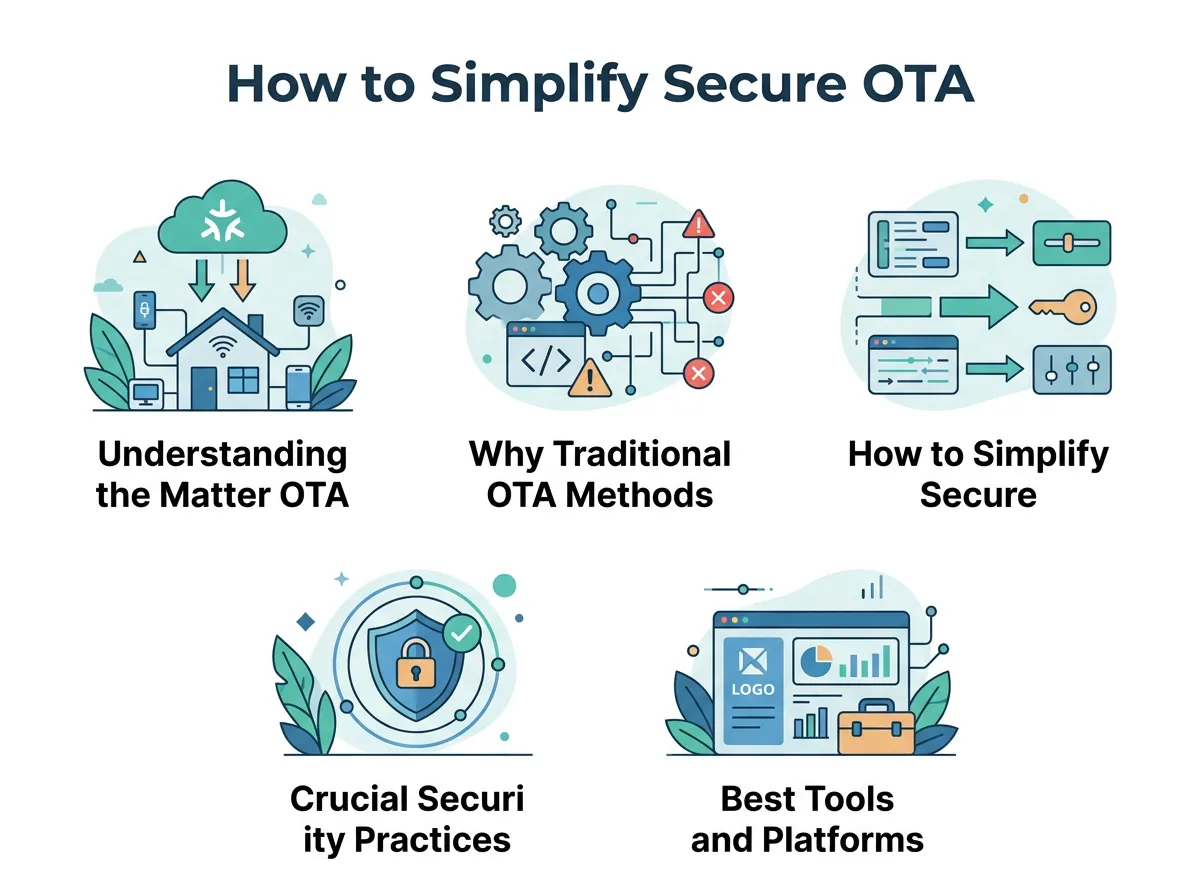
How to Simplify Secure OTA Updates for Matter-Based IoT Products? — key points at a glance
These custom systems often lacked strong security. If a hacker found a way into the update server, they could send bad code to thousands of devices. This could ruin the hardware or compromise user privacy. Matter solves this by bringing a standard, highly secure method to the table. It takes the guesswork out of the process.
How to Simplify Secure OTA Updates for Matter-Based IoT Products?
Now that we know how Matter handles updates, let us look at how to make the process as simple as possible. You do not need a massive team of security experts to do this right. You just need to follow a few clear steps.
Step 1: Use Built-in Matter Clusters
Do not try to reinvent the wheel. Matter has a specific set of rules called the OTA Software Update Clusters. These clusters define how devices talk about updates. By using these standard clusters, your device will automatically know how to talk to any Matter hub. This saves you from writing thousands of lines of custom code.
Step 2: Automate PKI and Code Signing
Security is the most important part of any update. You must prove to the smart device that the new file actually comes from you. This is done with code signing. You use a digital key to sign the file. The device checks this signature before it installs the update.
To make this simple, you should automate your Public Key Infrastructure (PKI). Do not manage keys by hand on sticky notes or shared spreadsheets. Use automated tools that sign your code during your normal build process. This keeps your keys safe and reduces human error.
Step 3: Implement Phased Rollouts
Never send an update to all your devices at the same time. If there is a hidden bug, you could break every device you ever sold. Instead, use phased rollouts. This is one of the key industry-standard OTA best practices that every developer should follow.
Start by sending the update to a small group of internal test devices. If that works, send it to one percent of your customers. Watch for errors. If everything looks good, slowly increase the number of devices until everyone has the update. This step-by-step path keeps your users happy and your brand safe.
Crucial Security Practices for Matter Updates
Matter provides a great framework, but you still need to follow core security rules. Here are three things you must do to keep your updates secure:
- Use Cryptographic Hash Checks: Always include a hash (like SHA-256) of the update file. The device can calculate the hash after downloading the file to make sure no data was lost or changed during the download.
- Enable Rollback Protection: Sometimes, an update might install fine but fail to run properly. Your device must be smart enough to detect this. If it cannot boot up after a few tries, it should automatically roll back to the old, working software.
- Encrypt the Transfer: Even though the code is signed, it is still a good idea to encrypt the file during the download. This prevents competitors or hackers from reading your code as it travels through the air.
Best Tools and Platforms for Matter OTA
You do not have to build the cloud backend for your updates. There are amazing platforms built just for this task. These tools help you track which devices have which software version. They also make it easy to upload new files and manage your phased rollouts.
When choosing a tool, look for platforms that support Matter out of the box. You want a system that can easily manage your device certificates and integrate with your existing build tools. Using a professional platform for analyzing device diagnostics and OTA performance will save your team months of work and prevent costly mistakes down the road.
Practical Tips for Success
To wrap up, here are a few quick tips to keep in mind as you build your update pipeline:
- Keep files small: Compress your firmware files. Smaller files download faster and use less battery power on your devices.
- Test on slow networks: Do not just test updates in your fast office Wi-Fi. Test them on weak, slow, and dropping connections to make sure the device handles failures gracefully.
- Inform your users: If an update requires a device to reboot, try to schedule it at night when the user is asleep. No one wants their smart lights to turn off in the middle of dinner.
Conclusion
Updating smart home devices does not have to be a stressful task. By embracing the Matter standard, you gain access to a secure, built-in update framework. This allows you to skip the headache of building custom tools. By focusing on automated code signing, using phased rollouts, and choosing the right platform, you can keep your devices running smoothly. This keeps your customers happy and keeps your product secure for years to come.
Frequently Asked Questions
What is Matter OTA?
Matter OTA is a standardized way for smart home devices to receive software updates. It uses built-in roles like Providers and Requestors to send files securely across different brands. This eliminates the need for custom, proprietary update systems.
How does Matter secure firmware updates?
Matter secures updates by requiring code signing and cryptographic verification. Devices check digital signatures to ensure the update comes from a trusted source and has not been altered. It also uses secure communication channels to transfer files safely.
Can a Matter device update without an internet connection?
Yes, Matter devices can update locally. A local Matter hub can act as the OTA Provider, storing the update file and sending it to the device over the local network. This means the device itself does not need direct internet access.
What happens if a Matter OTA update fails mid-way?
If an update fails, the device should use rollback protection to remain functional. It will discard the broken update and continue running its previous, stable software version. This prevents the device from becoming unusable.
Why are phased rollouts important for IoT?
Phased rollouts let you release updates to a small group of devices before a full release. This helps you catch bugs early without affecting all of your customers. It is a critical practice for maintaining product reliability.
Do I need to build my own cloud to update Matter products?
No, you do not need to build your own cloud. You can use existing IoT platform tools that specialize in Matter OTA delivery. These platforms manage the infrastructure, tracking, and staging of your updates automatically.
