


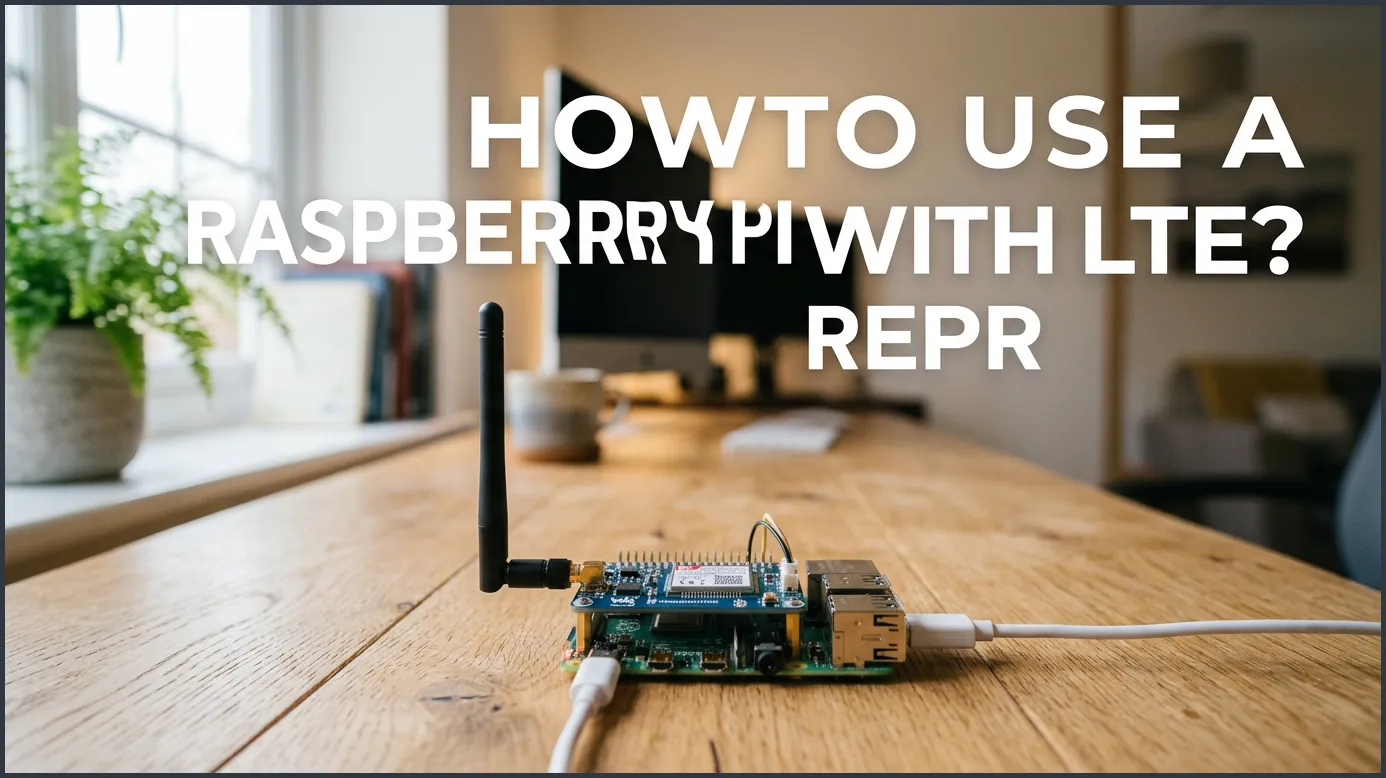
Connecting a Raspberry Pi to cellular networks is a great way to get mobile internet for remote projects. You can easily achieve this by using an LTE HAT, a USB dongle, or an external cellular router. With the right SIM card and basic network configuration, your Pi can stay online anywhere with mobile coverage.
Imagine you are building a wildlife camera deep in the woods. Or maybe you are setting up a weather station on a remote hilltop. There is no Wi-Fi in sight, and your home router is miles away. How do you keep your microcomputer connected to the internet? The answer lies in cellular data networks.
This guide will show you exactly how to connect your tiny computer to cellular networks. We will look at hardware choices, software setups, and clever tips to keep your connection strong. By the end, you will know how to take your projects anywhere in the world.
Key Takeaways
- Choose the right hardware: Decide between an integrated LTE HAT, a simple USB dongle, or an external LTE router based on your project needs.
- Select a compatible SIM: Ensure your SIM card has an active data plan that supports IoT or mobile broadband devices.
- Ensure sufficient power: LTE modules draw significant current, so always use a strong, high-quality power supply.
- Configure APN settings: Set up the correct Access Point Name (APN) in your Raspberry Pi OS to establish a stable connection.
- Address remote access: Be prepared to handle carrier-grade NAT (CGNAT) if you need to access your Pi remotely.
📑 Table of Contents
Why Connect Your Raspberry Pi to LTE?
We live in a world full of Wi-Fi. But Wi-Fi has physical limits. It cannot reach the middle of a farm, a moving boat, or a delivery truck. That is where LTE comes in. Using cellular data frees your Pi from the boundaries of your home or office. It turns your stationary projects into truly mobile systems.
When you learn how to use a Raspberry Pi with LTE, you open up a whole new world of project ideas. You can build mobile dash cams, remote environmental monitors, or backup internet systems for your home. Cellular networks cover almost every corner of the globe. With a small SIM card, your Pi can tap into this vast web.
Choosing the Right LTE Hardware
Before we look at software, we need to talk about hardware. You cannot plug a SIM card directly into a standard Raspberry Pi. You need an interface device to bridge the gap. There are three common ways to do this, each with its own pros and cons.
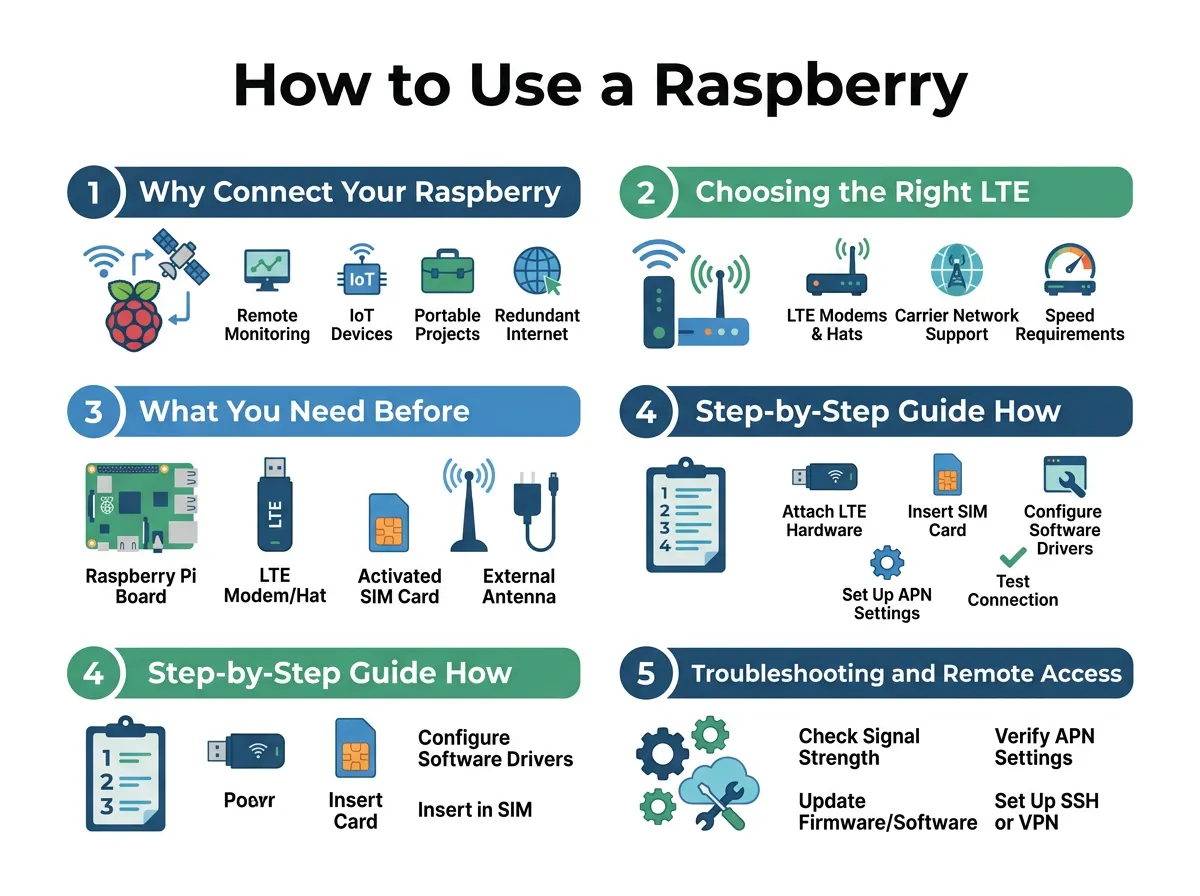
How to Use a Raspberry Pi With LTE? — key points at a glance
LTE HATs (Hardware Attached on Top)
An LTE HAT is an expansion board that sits directly on top of your Pi. It connects to the 40-pin GPIO header. HATs are very neat because they do not require extra cables. Many HATs also come with built-in GPS modules, which are great for tracking projects. If you want a clean, all-in-one setup, a dedicated Sixfab cellular modem kit is an excellent choice for reliable mobile data.
USB LTE Dongles
If you do not want to deal with GPIO pins, a USB LTE dongle is the easiest way forward. You simply plug it into one of the USB ports on your Pi. Many dongles work as plug-and-play devices. They show up on your Pi as standard Ethernet connections. This makes them incredibly simple to set up, though they can stick out and look a bit messy in tight enclosures.
External Cellular Routers
For industrial projects or setups that need extreme reliability, an external LTE router is best. You connect your Pi to the router using an Ethernet cable. The router handles all the cellular connections and keeps your Pi free to do other tasks. However, this does add bulk and extra cost to your build.
What You Need Before Starting
Before you start your build, you need to gather a few essential items. Having these ready will save you time and frustration during the installation process.
A Reliable Power Supply
Cellular modems are power-hungry. When searching for a signal or transmitting data, an LTE module can draw a lot of current. A weak power supply will cause your Raspberry Pi to crash or reboot. Make sure you use a high-quality power supply. It should provide at least 3 Amps of current. If you use an LTE HAT, consider powering the HAT directly if it has its own power port.
A Compatible SIM Card and Data Plan
You will need an active SIM card from a mobile carrier. Look for plans designed for IoT (Internet of Things) or tablets. These plans are often cheaper because they do not charge for unlimited talk and text. Make sure your carrier has good coverage in the area where your Pi will be working.
Step-by-Step Guide: How to Use a Raspberry Pi With LTE?
Now, let us get into the core process of how to use a Raspberry Pi with LTE. We will walk through a standard setup using a USB modem or a compatible HAT.
Step 1: Connect Your Hardware
First, make sure your Raspberry Pi is powered off. Insert your active SIM card into your LTE module. If you are using an LTE HAT, attach it carefully to the GPIO pins. Connect the external cellular antenna to the module. Antennas are critical for getting a strong signal indoors. Once everything is securely plugged in, boot up your Raspberry Pi.
Step 2: Install Necessary Software
Open your terminal window. We need to make sure your operating system is fully updated. Run the standard system update commands first. Next, we will install tools to manage cellular connections. For many USB modems, tools like NetworkManager make the job very easy. You can install it using your system package manager.
Step 3: Configure the APN Settings
Your cellular carrier uses an Access Point Name (APN) to direct data traffic. To learn how to use a Raspberry Pi with LTE properly, you must configure this APN. You can find your carrier’s APN with a quick web search. Once you have it, open your connection manager, input the APN name, and save the settings. Restart your connection, and your Pi should now have a working internet link!
Troubleshooting and Remote Access Tips
Sometimes things do not work perfectly on the first try. Here is how to fix the most common cellular connection issues.
Solving Power Drops
If your Pi keeps rebooting as soon as the modem connects, you have a power issue. Try using a powered USB hub for your USB dongle. This takes the power load off the Pi’s internal board and keeps your system stable.
Handling CGNAT and Dynamic IPs
Most mobile carriers do not give you a public IP address. Instead, they use Carrier-Grade NAT (CGNAT). This means you cannot easily access your Pi from home over the cellular connection. If you run into issues with incoming connections, you will need to look into complex routing and remote access workarounds to bypass the carrier’s firewall. Using a VPN or a reverse tunnel like Ngrok can help you connect to your Pi remotely.
Seeking Community Help
If you get stuck with specific hardware bugs, do not worry. You can find helpful advice on the Raspberry Pi community forum discussions. There, thousands of developers share solutions for cellular connectivity issues and hardware configurations.
Best Use Cases for LTE-Enabled Raspberry Pi
Once you learn how to use a Raspberry Pi with LTE, what can you build? The possibilities are endless.
Remote Environmental Monitoring
You can place your Pi in a forest to track temperature, humidity, and rainfall. With LTE, the Pi can upload this data to a cloud database in real time, saving you from making frequent trips to collect data.
Smart Security and Dash Cams
Install a Pi in your car to act as a smart dash cam. It can record video and upload clips to your private server if an event occurs, keeping your vehicle secure even when parked far away.
Rural Smart Agriculture
Farmers use LTE-enabled Pis to monitor soil moisture across large fields. This helps them save water, grow better crops, and manage resources efficiently from a phone app.
Conclusion
Connecting your Raspberry Pi to an LTE network changes everything. It turns a simple hobby board into a powerful, mobile tool. Whether you choose a simple USB dongle or a robust HAT, the steps are straightforward. Get your hardware, configure your APN, and start building. The world is your playground!
Frequently Asked Questions
How much data does an LTE Raspberry Pi use?
It depends entirely on your project. A simple sensor sending text data uses just a few megabytes per month, while a security camera streaming video can use many gigabytes daily.
Can I use any SIM card with my Raspberry Pi?
Yes, as long as the SIM card is active and supports mobile data. However, it is best to use data-only plans or IoT SIMs for the most cost-effective rates.
Do I need an antenna for my LTE HAT?
Yes, an antenna is highly recommended. Without an antenna, the cellular module will struggle to find a signal, resulting in dropped connections and high power draw.
Can I make phone calls with a Raspberry Pi LTE HAT?
Some LTE HATs support voice and SMS functions alongside data. You will need compatible software and a cellular plan that includes voice and text services to use these features.
Why does my Raspberry Pi crash when the LTE modem connects?
This is almost always a power issue. Cellular modems draw a lot of current during connection spikes, so you must use a high-quality 3A power supply or a powered USB hub.
How do I access my LTE Pi remotely?
Because mobile carriers use CGNAT, you cannot connect directly to your Pi’s IP address. You must use a VPN, a reverse SSH tunnel, or a remote management service to bypass this restriction.
