


Embedded device failure during OTA updates is usually caused by power loss, unstable network connections, and insufficient memory space. Software bugs, lack of robust fallback systems, and missing security checks also play major roles in bricking devices. To prevent these issues, developers must implement atomic updates, active battery monitoring, and dual-partition bootloaders.
Imagine deploying thousands of smart devices across a city. They track water usage, monitor traffic, or run streetlights. They work beautifully for months. Then, you send out a simple firmware patch. Suddenly, half of the devices go silent. They stop sending data. They do not respond to pings. They are completely “bricked.”
You now face a massive problem. To fix the issue, a technician must visit every single site in person. This is expensive and slow. Why did this happen? Understanding what causes embedded device failure during OTA updates is the first step to preventing these costly disasters.
In this article, we will explore the main culprits. We will look at hardware bugs, network drops, and memory limits. We will also share simple tips to keep your fleet safe and running.
Key Takeaways
- Power Outages: Sudden power loss during the flashing process is a primary cause of device bricking.
- Network Instability: Weak or dropped connections can lead to corrupted update files that crash the system.
- Memory Limits: Single-bank systems cannot store a backup, making them highly vulnerable to failed writes.
- Missing Rollbacks: Without a working watchdog timer and fallback bootloader, a bad update can permanently disable a device.
- Security Flaws: Unsigned firmware can allow hackers to load malicious, non-functional code onto devices.
- Hardware Drift: Differences in board revisions can cause perfectly written software to fail on older hardware.
📑 Table of Contents
- 1. Power Disruptions During the Flash Process
- 2. Network Drops and Corrupted Payloads
- 3. Inadequate Memory Space and Partitioning Issues
- 4. Missing or Faulty Rollback Mechanisms
- 5. Security Vulnerabilities and Intercepted Code
- 6. Software Compatibility and Environment Drift
- Conclusion: Making OTA Updates Safe and Reliable
1. Power Disruptions During the Flash Process
An embedded device needs steady power when it writes new software to its flash memory. If the power cuts out mid-way, the device is left with a half-written program. This is one of the most common answers to what causes embedded device failure during OTA updates.
Sudden Shutdowns in the Field
In the real world, power is not always stable. Users might unplug their smart home gadgets. A car battery might drop in voltage when starting the engine. If any of these events happen while the chip is flashing, the bootloader will get confused on the next startup. It will try to run incomplete code and fail.
How to Prevent Power-Related Failures
To stop this, devices should monitor their power levels. Do not start an update if the battery is low. For critical hardware, you should use supercapacitors or backup batteries. These backups provide just enough power to finish the write cycle if main power is lost.
2. Network Drops and Corrupted Payloads
OTA updates travel over cellular networks, Wi-Fi, or Bluetooth. These networks are not always stable. A weak signal can cause packet loss. If a packet is lost, the update file becomes corrupt. If a device tries to run a corrupt file, it will crash. This connection loss is another big reason for what causes embedded device failure during OTA updates.
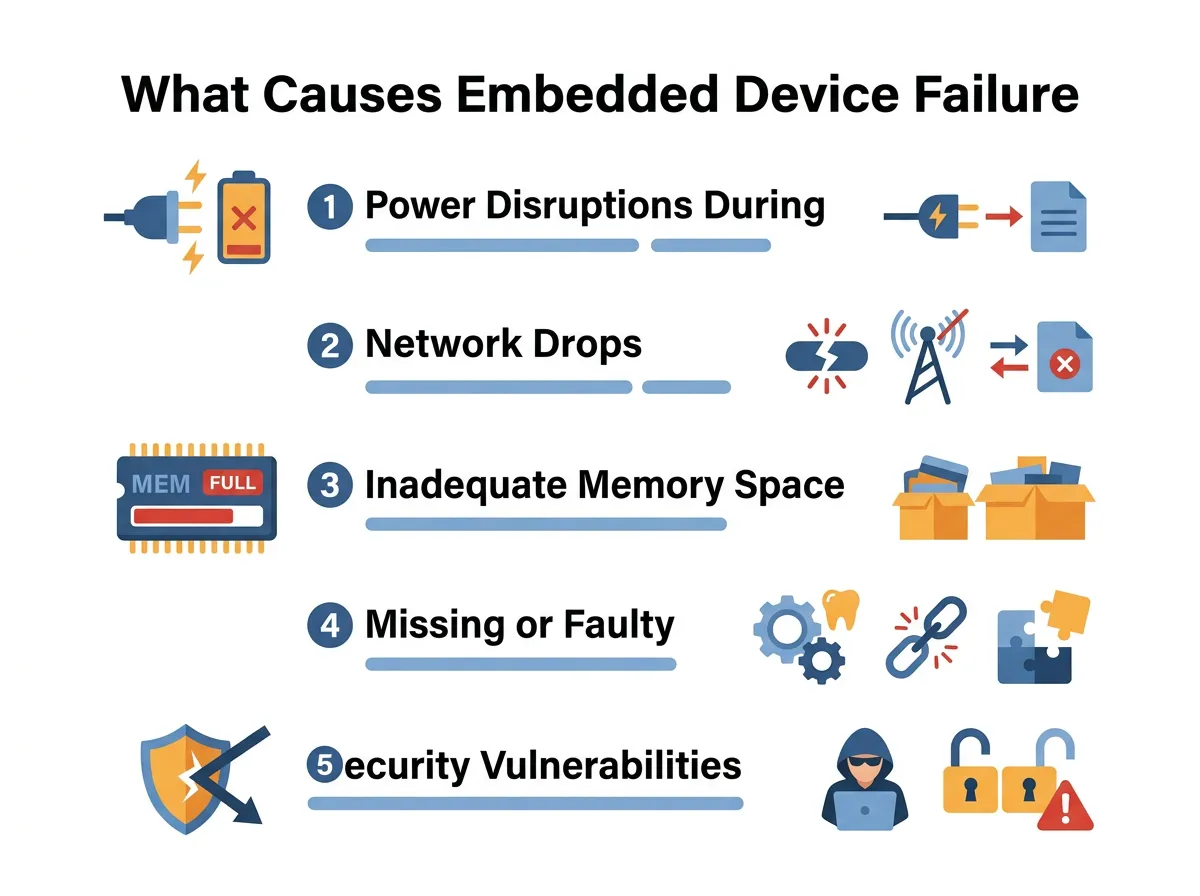
What Causes Embedded Device Failure During OTA Updates? — key points at a glance
The Danger of Interrupted Downloads
When a download gets cut off, some systems try to resume from where they left off. If the system does not check the file carefully, it might stitch the old and new parts together incorrectly. This creates a broken file that will ruin the device boot cycle.
Ensuring File Integrity
You should always check the file before you run it. Use a cryptographic checksum like SHA-256 to verify the entire image. To build a highly reliable system, you should follow an established OTA update checklist for embedded devices to verify every block of data before writing it to memory.
3. Inadequate Memory Space and Partitioning Issues
Memory is very tight on microcontrollers. Some devices try to overwrite their current software while it is running. This is called a single-bank update. If the update fails, the old software is already gone. There is nothing to fall back on. This lack of memory planning explains what causes embedded device failure during OTA updates when resources are low.
Single-Bank vs. Dual-Bank Systems
In a single-bank system, you only have one memory slot. In a dual-bank system, you have two slots: Bank A and Bank B. The device runs active software from Bank A while downloading the update to Bank B. Once the download is complete and verified, the device switches to Bank B. If Bank B fails to boot, it simply switches back to Bank A. For a deeper look at operating system layouts, check out OTA updates for embedded Linux and Android systems which use modern A/B layouts to keep devices safe.
Flash Wear and Bad Sectors
Flash memory does not last forever. It can only be written to a certain number of times. Over time, some sectors on the flash chip will wear out. If the update tries to write to a dead sector, the data will corrupt, leading to system failure.
4. Missing or Faulty Rollback Mechanisms
Even if the update completes, the new software might have a bug. Maybe it cannot connect to the network. Or maybe it crashes as soon as it boots up. Without a rollback mechanism, the device will stay broken forever. It cannot download a fix because it cannot connect to the internet.
The Role of the Watchdog Timer
A hardware watchdog timer is a simple clock that counts down. If the main program is working well, it resets the timer. If the program crashes, the timer runs out and forces a hard reset. When designing your system architecture, following proven OTA updates best practices is essential for creating safe rollback loops that utilize these timers.
Implementing Robust Fallbacks
If the device resets three times in a row without booting fully, the bootloader should mark the new software as bad. It should then boot the old, working software. This simple loop keeps your device alive, even if the new code is buggy.
5. Security Vulnerabilities and Intercepted Code
OTA updates open a door to your device. If this door is not locked, bad actors can exploit it. They can send malicious firmware to your devices. This leads to bricked units or security breaches. Security issues are a major driver of what causes embedded device failure during OTA updates in public networks.
Man-in-the-Middle (MitM) Attacks
If your update traffic is not encrypted, a hacker can intercept it. They can replace your genuine software with their own bad code. Once loaded, this code can steal data or lock up the device entirely.
Cryptographic Signatures
Always sign your firmware images. Use private and public keys. The device must use its stored public key to verify the signature of the update before it runs it. If the signature does not match, the device must discard the update immediately.
6. Software Compatibility and Environment Drift
Sometimes, the update code is perfect, but the hardware has changed. Manufacturers often swap chips during production runs due to supply chain issues. If the new software does not match the specific hardware revision, the device will fail. This mismatch is another hidden factor in what causes embedded device failure during OTA updates.
Hardware Revisions and Device Trees
A single model of a smart camera might have three different camera sensors inside depending on when it was built. If your update only includes drivers for the newest sensor, older cameras will crash when they try to use the camera. You must include hardware check tags in your updates to prevent this.
Inadequate Testing Across Different Models
Always test your updates on every version of your hardware. Never assume that what works in the lab will work on older devices in the field.
Conclusion: Making OTA Updates Safe and Reliable
Updating your devices over-the-air is a double-edged sword. It lets you add new features and fix bugs. But if things go wrong, it can destroy your hardware. Now that you know what causes embedded device failure during OTA updates, you can design a safer system. Use dual-bank memory, verify every file, monitor battery levels, and always have a working rollback mechanism. By doing this, you keep your devices smart, safe, and online.
Frequently Asked Questions
What is a bricked device?
A bricked device is an embedded system that has become completely non-functional due to a corrupted firmware update. It gets its name because the device is now as useful as a physical brick. Fixing a bricked device usually requires physical hardware tools and manual intervention.
How does a dual-partition layout prevent OTA failures?
A dual-partition layout keeps two copies of the operating system on the device. When you download a new update, it writes to the inactive partition while the active one keeps running the device. If the new update fails to boot, the device simply switches back to the safe, working partition.
What is a watchdog timer?
A watchdog timer is a hardware clock that resets the device if the software freezes or crashes. If the new update causes a system freeze, the watchdog timer will trigger a reboot. This allows the bootloader to revert to the previous working software version.
Why does network loss corrupt OTA updates?
Network loss can interrupt the transfer of data packets, leading to missing or scrambled code. If the device does not verify the file integrity before flashing, it will install this broken code. This incomplete installation will prevent the device from booting up.
How can I secure my OTA updates against hackers?
You can secure your OTA updates by using HTTPS encryption during the download process and digitally signing your firmware files. The device must check the signature using a built-in cryptographic key before applying any update. This prevents hackers from loading malicious code onto your hardware.
Can a device recover from a power failure during an update?
Yes, a device can recover if it has a smart bootloader and a dual-partition memory layout. If power cuts out during the write process, the bootloader will detect that the new partition is incomplete upon reboot. It will then safely boot from the older, untouched partition.
