

Finding the right tool depends heavily on your specific business goals, scale, and budget. However, industry leaders like AWS IoT Device Management, Microsoft Azure IoT Hub, and ThingsBoard consistently stand out as top choices. These platforms offer unmatched security, seamless over-the-air updates, and robust monitoring capabilities to keep your smart networks running smoothly.
Imagine waking up to find half of your smart devices offline. Your team is scrambling. Customers are calling. It is an absolute nightmare. If you manage connected hardware, you know how hard it is to keep things running. As your network grows, keeping track of every sensor, camera, and gateway becomes a massive chore. That is where a solid tool comes in.
If you are asking yourself, What Is the Best IoT Device Management Software?, you are in the right place. In this guide, we will break down the top tools on the market. We will look at their features, their pros, and how to pick the right one for your business. Let us dive in and help you find the perfect fit.
Key Takeaways
- AWS and Azure Lead for Scale: Cloud giants offer unparalleled infrastructure for managing massive, global device fleets securely.
- ThingsBoard for Open-Source: It is the premier choice for organizations seeking highly customizable, open-source dashboards and control.
- Security is Paramount: Top-tier software must provide secure onboarding, automated patching, and robust encryption out of the box.
- OTA Updates are Vital: The ability to push seamless over-the-air firmware updates saves labor costs and prevents system downtime.
- No One-Size-Fits-All: Your ideal platform depends on your hardware compatibility, scaling needs, and team technical expertise.
📑 Table of Contents
Why You Need IoT Device Management Software
Think of your IoT fleet like a massive school of fish. Without a guide, they all swim in different directions. IoT device management software acts as that guide. It helps you track, organize, secure, and update all your connected hardware from a single screen.
Whether you have ten smart sensors or ten thousand, doing everything manually is impossible. You cannot walk up to every device with a USB drive to update its code. You need a system that does it remotely. Without it, your network becomes slow, outdated, and highly vulnerable to hackers.
The Four Pillars of Device Management
To understand how these platforms work, look at the four main phases they handle:
- Provisioning: This is how you enroll new devices into your system safely.
- Configuring: This lets you change settings on your devices remotely.
- Monitoring: This tracks device health and alerts you to any errors.
- Updating: This pushes new software updates (firmware) to keep devices secure.
Without these pillars, your smart network is highly vulnerable. Let us explore the tools that handle these phases best.
Comparing the Best IoT Device Management Software
When looking for the best IoT device management platform for your unique business setup, several key names pop up. Let us look at the top choices.
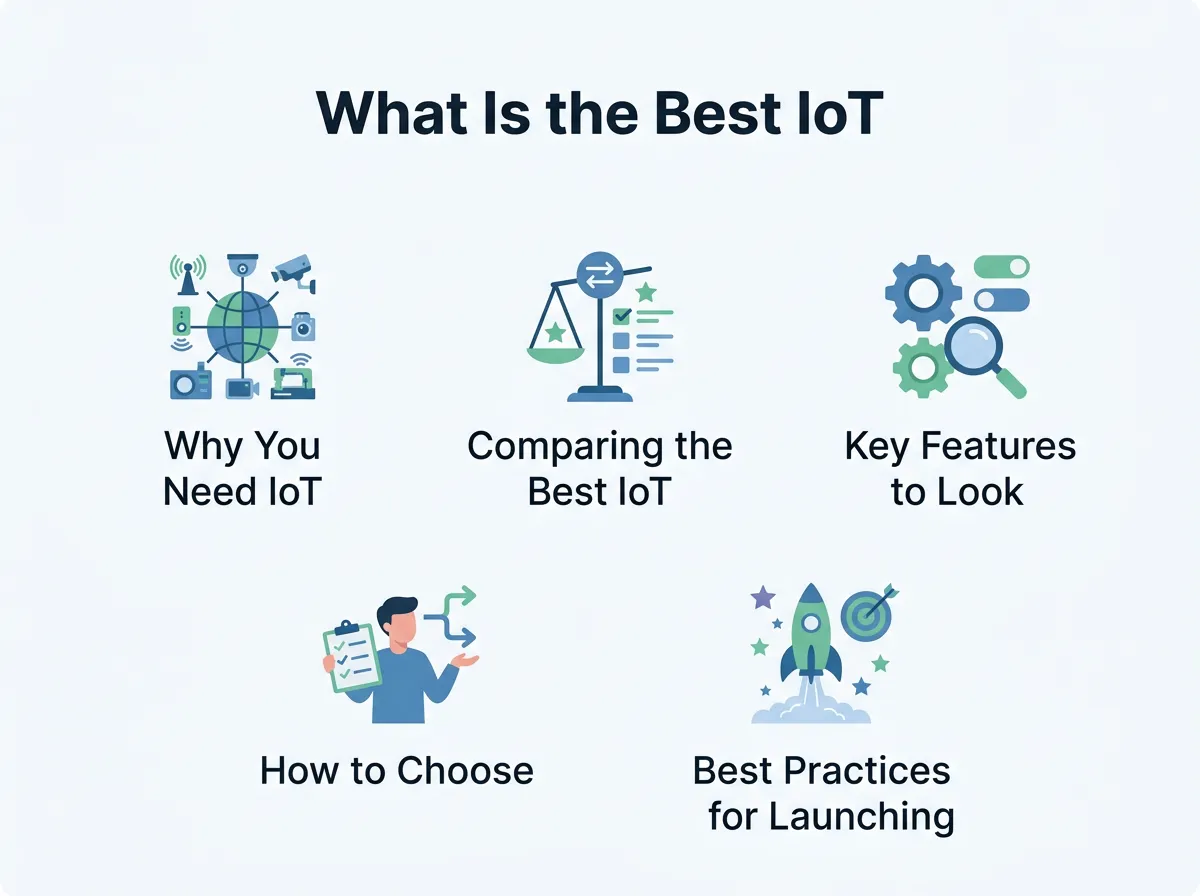
What Is the Best IoT Device Management Software? — key points at a glance
AWS IoT Device Management
Amazon Web Services (AWS) is a giant in the cloud space. Their IoT tool is built for scale. It is perfect if you already use AWS for your cloud needs. It helps you track, organize, and monitor large fleets of devices easily.
One major benefit of AWS is its “Fleet Indexing” feature. This lets you search for devices based on their state, location, or build. It also integrates perfectly with AWS security tools. However, AWS can be quite complex for beginners to learn.
Microsoft Azure IoT Hub
Microsoft Azure is another massive player. Azure IoT Hub provides highly secure communication between your IoT devices and the cloud. It is highly reliable and handles billions of daily messages easily.
Azure excels at security. It uses per-device security credentials to keep your data safe. It also integrates with other Microsoft business tools. If your team is already comfortable with the Microsoft ecosystem, this is a natural choice.
ThingsBoard
If you want something open-source, ThingsBoard device management is a top-tier choice. It allows you to build custom dashboards with ease. You can collect, visualize, and process data from your devices in real-time.
ThingsBoard is highly flexible. It supports standard IoT protocols like MQTT, CoAP, and HTTP. It offers a free community version, which is great for startups and small teams. It also has a paid professional version for larger operations.
Key Features to Look For
Not all platforms are built the same. When searching for the best IoT device management software, you must look for key features that fit your daily workflow.
Zero-Touch Provisioning
Imagine onboarding thousands of smart plugs one by one. It would take weeks! Zero-touch provisioning solves this. It lets you register and connect new devices automatically the moment they boot up and connect to the internet. This saves your team hours of manual labor.
Over-the-Air (OTA) Updates
Software has bugs, and security threats change every day. You must update your devices to keep them safe. OTA updates let you push new code to your devices remotely. A good platform lets you group devices so you can test updates on a small batch before sending them to everyone.
Real-Time Alerts and Analytics
You need to know when a device fails before your customers do. Real-time alerts warn you when a sensor stops sending data or when its battery is low. Good platforms display this data on a clean dashboard so you can spot trends quickly.
How to Choose the Best Platform for Your Business
Finding the right tool is about matching features to your actual business needs. You can browse lists of the top products on G2’s IoT device management platforms category to see what actual users like and dislike.
Assess Your Fleet Size
Are you managing 50 smart thermostats or 50,000? A small company might find AWS too complex and expensive. A simple, lightweight tool might serve them better. On the flip side, large enterprises need the power and security of AWS or Azure.
Check Hardware Compatibility
Some platforms only work with specific types of chips or operating systems. Before you buy, make sure the software supports your hardware. You do not want to change your physical devices just to match your software choice.
Analyze the Total Cost of Ownership
Software costs can be tricky. Some platforms charge a flat monthly fee. Others charge per device or per message sent. Make sure you calculate how much the tool will cost as your business scales. What seems cheap today could become very expensive next year.
Best Practices for Launching Your IoT Software
Once you pick a platform, you must set it up correctly. Follow these simple best practices to ensure a smooth launch.
Put Security First
Never use default passwords on your devices. Use unique keys for every piece of hardware. Make sure all data sent between your devices and the cloud is fully encrypted. A secure setup protects your business from costly hacks.
Test Updates in Stages
Never push a new update to all your devices at once. If there is a bug in the code, you could break your entire network. Always test updates on a small group of test devices first. Once you know it is safe, roll it out to the rest of your fleet.
Keep Your Team Trained
The best software is only as good as the people using it. Spend time training your support and engineering teams on the new platform. Make sure they know how to read the dashboards and respond to alerts quickly.
Final Thoughts
Managing a smart network does not have to be painful. The right tool can turn a complex mess into a smooth, automated process.
When asking What Is the Best IoT Device Management Software?, remember that the answer depends on your team’s skills, budget, and physical hardware. AWS and Azure are great for scale. ThingsBoard offers amazing flexibility and visual control. Take your time, test a few options, and choose the platform that fits your long-term goals. With the right platform, your smart business can grow without limits.
Frequently Asked Questions
What does IoT device management software do?
This software helps businesses connect, monitor, secure, and update their smart devices from one central dashboard. It automates tasks like sending software patches and tracking device health.
Is open-source IoT software safe to use?
Yes, open-source options like ThingsBoard are highly secure when set up correctly. They allow you to host your own data and customize your security protocols.
Can I manage different types of hardware with one platform?
Yes, many top platforms support standard protocols like MQTT and HTTP, allowing you to manage diverse devices under a single system. Always check hardware compatibility before choosing a tool.
What is zero-touch provisioning?
Zero-touch provisioning is a feature that automatically connects and registers new devices to your management platform as soon as they turn on. This removes the need for manual setup.
How much does IoT management software cost?
Costs vary wildly. Some platforms charge a flat monthly fee, while others charge based on the number of connected devices or the amount of data transferred.
Why are over-the-air (OTA) updates important?
OTA updates let you send firmware patches and bug fixes to your devices remotely over the internet. This keeps your network secure and functional without requiring hands-on maintenance.
