


To fix multi-carrier IoT SIM card connectivity issues, you must verify your Access Point Name (APN) settings, enable data roaming on your device, and ensure your hardware has correct network steering rules. These quick adjustments solve the vast majority of connection drops and keep your smart devices online.
Imagine deploying a fleet of smart devices across the country. You spent weeks testing them in your lab, and everything worked perfectly. But as soon as they reach their final destination, some of them go completely silent. You log into your device dashboard only to see a series of red warning lights. Your state-of-the-art multi-carrier SIM cards are failing to connect. It is a stressful situation that can halt your business operations and drain your budget.
Multi-carrier IoT SIM cards are built to prevent this exact issue. They are designed to hop from one cellular network to another. When one signal drops, another should take its place. But technology is not always perfect. Sometimes, these smart cards get stuck, lose their path, or fail to communicate with local cell towers.
In this guide, we will walk you through the process of troubleshooting these frustrating issues. We will cover everything from simple settings checks to advanced network steering rules. By the end, you will know exactly how to get your devices back online and keep them there.
Key Takeaways
- Verify APN Settings: Incorrect Access Point Name configurations are the number one cause of multi-carrier SIM failures.
- Enable Data Roaming: Multi-carrier SIMs require roaming to be active on the device to switch between partner networks.
- Understand Network Steering: SIMs use pre-programmed rules to choose carriers, which can sometimes result in “sticky” connection issues.
- Check Hardware Fit: Loose physical SIM slots and poorly positioned antennas often mimic software and network failures.
- Update Device Firmware: Keeping your cellular modem’s firmware updated ensures compatibility with new tower protocols.
- Apply Watchdog Timers: Code your devices to reboot their modems automatically if they remain disconnected for too long.
📑 Table of Contents
What is a Multi-Carrier IoT SIM and How Does It Work?
A multi-carrier IoT SIM is a special type of SIM card. It is not tied to just one cellular network provider. Instead, it can connect to several different networks in a single country or across the globe. This flexibility is crucial for smart devices that move around, like GPS trackers on trucks. It is also great for stationary devices like smart meters that need constant uptime.
These SIM cards use a single profile to access multiple networks. When your device boots up, it scans for available networks. It then picks the best one based on signal strength or pre-set rules. To learn more about how these components operate, check out this guide on the complete guide to IoT SIM cards and how they connect.
The Magic of Network Steering
How does the SIM card choose which network to join? This process is called network steering. The SIM card contains a list of preferred networks. The card or your provider sets this list. When your device starts, it looks at this list. It tries to connect to the first network. If that network is not available, it moves to the second one.
However, this process is not always simple. Sometimes, your device needs to make decisions on its own. If you want to know the math and logic behind this, you can read about how a multi-carrier IoT device chooses a carrier automatically.
Common Reasons Why Multi-Carrier SIMs Lose Connection
Before we can solve the issue, we must understand what went wrong. Cellular networks are complex. When a multi-carrier SIM fails, it is usually due to one of a few common culprits.
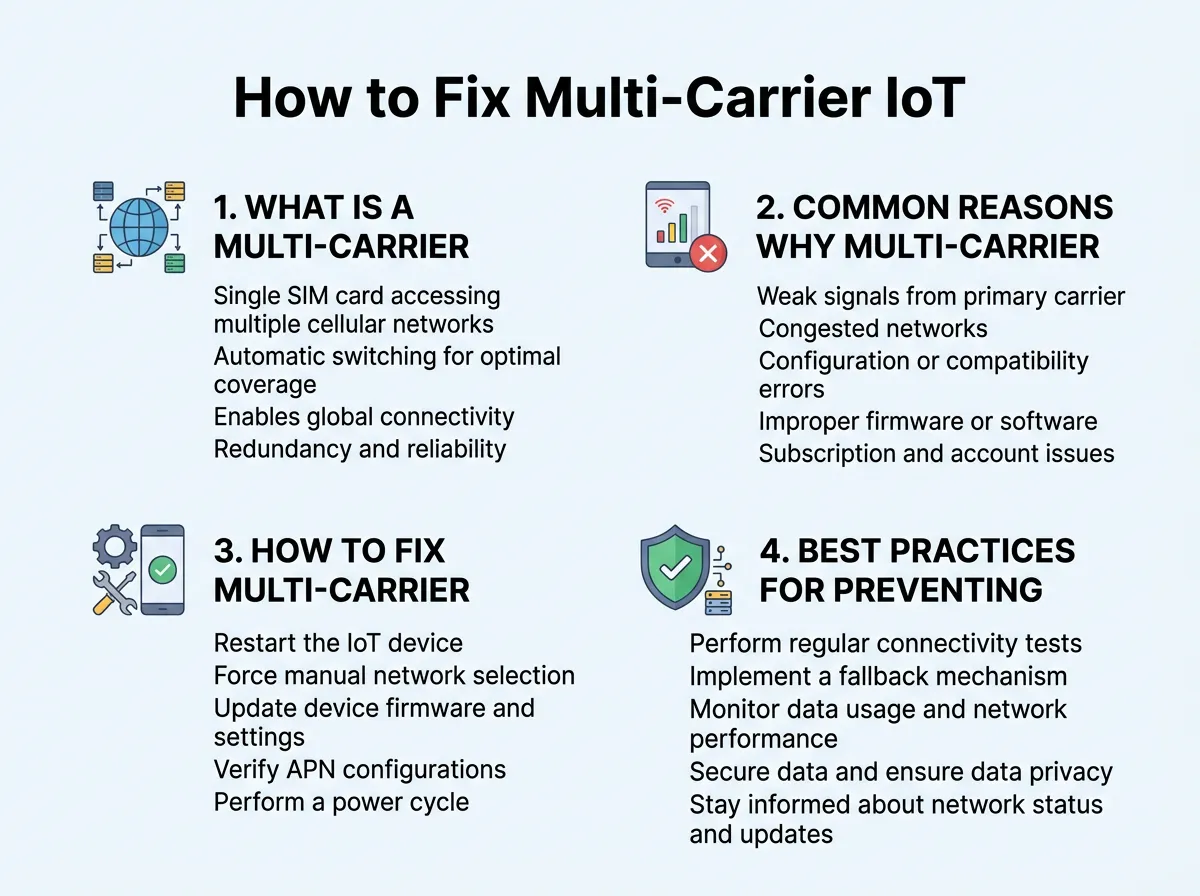
How to Fix Multi-Carrier IoT SIM Card Connectivity Issues? — key points at a glance
APN Mismatch and Authentication Failures
The Access Point Name (APN) is like a gateway. It connects your cellular network to the wider internet. Every cellular provider has its own APN. If your device has the wrong APN typed into its settings, it will not connect. It is like trying to open a door with the wrong key. For multi-carrier SIMs, this is even trickier. Since the SIM switches networks, the APN must be compatible with all of them, or the SIM must support dynamic APN switching.
The “Sticky” Network Dilemma
Sometimes, a device connects to a network and refuses to let go. This is known as a “sticky” network issue. The device might cling to a very weak signal from Carrier A, even though Carrier B has a perfect signal right next to it. Why does this happen? The SIM card might be programmed to prefer Carrier A because of cheaper data rates. Sadly, this cost-saving rule can hurt your device’s performance. When this happens, your IoT device keeps losing connection until you manually intervene or fix the steering rules.
How to Fix Multi-Carrier IoT SIM Card Connectivity Issues?
Let us get into the practical steps. If your devices are struggling to stay online, follow this step-by-step guide to resolve the issues quickly.
Step 1: Double-Check Your APN Settings
The first step in learning How to Fix Multi-Carrier IoT SIM Card Connectivity Issues? is checking the APN. This is the most common point of failure for new deployments.
- Log into your device’s configuration portal.
- Look for the APN field in the network settings.
- Compare the APN name with the one provided by your SIM card supplier.
- Make sure there are no typos, extra spaces, or wrong letters.
- If your SIM card requires a username and password for the APN, ensure these are entered correctly too.
Step 2: Enable Roaming on Your IoT Device
Multi-carrier SIM cards often work by mimicking a roaming device. They switch between networks because they are treated as guests on those networks. Because of this, you must enable data roaming in your device settings. If roaming is turned off, the modem will block the SIM from switching. It will only look for its home network, which might not even exist in that area. Always turn data roaming “On” for multi-carrier setups.
Step 3: Troubleshoot Signal Quality and Hardware Fit
Sometimes the issue is not software. It is physical. If the physical connection is weak, the software cannot do its job.
- Check the antenna. Is it tightly screwed in? Is it pointing in the right direction?
- Look at the environment. Metal walls, concrete floors, and heavy machinery can block cellular signals.
- Ensure the SIM card is seated correctly in its slot. A loose SIM slot can cause intermittent connection drops that look like network errors.
If you find your device is constantly searching for service, you might want to read about why an IoT SIM loses network coverage to rule out external environmental factors.
Step 4: Adjust Network Selection and Timers
If your device is stuck on a bad network, you need to change its behavior.
- Change network selection from “Manual” to “Automatic.” This allows the modem to scan for new networks when the current one fails.
- Adjust your search timers. By default, some modems wait a long time before looking for a new network. Lowering this timer makes the switch happen much faster.
- Set up a watchdog timer. This is a small piece of code that reboots the modem if it has no internet connection for a set period, such as 15 minutes.
Best Practices for Preventing Future Connection Drops
Fixing the issue today is great. Preventing it from happening tomorrow is even better. Here are some smart habits to adopt for your IoT fleet.
Keep Your Device Firmware Fresh
Cellular standards change all the time. Network providers update their towers and security protocols constantly. If your IoT device firmware is outdated, it might not support these new protocols. Make it a habit to push firmware updates to your fleet regularly. This ensures your hardware can talk to modern cell towers without any errors.
Implement Smart Backoff Algorithms
If a device loses connection, its natural reaction is to try again immediately. If it keeps failing, it might spam the network. This can cause the network provider to temporarily block your SIM card. To prevent this, program your devices with a backoff algorithm. If the first connection attempt fails, wait 30 seconds. If the second fails, wait two minutes. Gradually increase the wait time. This protects your SIM card from being blacklisted.
Conclusion
Dealing with connection drops can be highly frustrating. However, when you know How to Fix Multi-Carrier IoT SIM Card Connectivity Issues?, the task becomes much simpler. Most issues come down to basic settings like the APN, roaming permissions, or antenna placement. By taking a methodical approach to troubleshooting, you can keep your devices connected, no matter where they roam.
Frequently Asked Questions
What is an APN and why does it affect my IoT SIM?
An APN, or Access Point Name, is the gateway address that connects your IoT device to the mobile network and the internet. If this address is incorrect, the network will reject your device’s connection request immediately. You must match the APN in your device settings to the exact APN provided by your SIM card carrier.
Why does my multi-carrier SIM card get stuck on a weak network?
This is known as the “sticky network” problem, which happens when a device refuses to disconnect from a weak signal. It occurs because the SIM card’s steering rules prefer that specific carrier, often due to lower data costs. You can fix this by adjusting the network search timers or setting up an automatic modem reboot.
Do I need to enable data roaming for multi-carrier SIMs?
Yes, you must enable data roaming on your IoT device for multi-carrier SIMs to work properly. Since these SIMs switch between different partner networks, the device views these switches as roaming. If roaming is disabled, the modem will block the SIM from connecting to any network other than its primary home network.
Can outdated firmware cause my IoT device to lose connection?
Yes, outdated modem firmware is a common cause of connectivity drops. Network operators update their towers and communication protocols frequently, which can cause older firmware to fail. Keeping your device’s firmware updated ensures it remains compatible with the latest cellular standards.
What is a watchdog timer in IoT devices?
A watchdog timer is a hardware or software safety feature that monitors your device’s connectivity status. If the device loses its internet connection for a set period, the watchdog automatically triggers a system reset. This simple reboot is often enough to force the modem to scan and connect to a fresh network.
How do physical obstructions affect my multi-carrier SIM?
Physical barriers like thick concrete walls, metal enclosures, and heavy machinery block cellular waves and degrade signal quality. Even the best multi-carrier SIM cannot connect if the local signal cannot reach the antenna. Improving antenna placement or using external high-gain antennas can solve these physical signal issues.
